OneCraze provides customized interactive projection and immersive experience solutions that combine system planning, hardware matching, software integration and installation support. The final proposal should identify not only projector count, but also lens models, media-server outputs, sensors, content canvas and calibration
What Determines How Many Projectors an Immersive Room Needs?
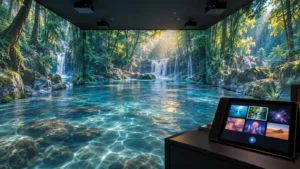
The first step is to define the required visual coverage. A client may use the phrase “360-degree room” while actually requesting three projected walls and a floor. Another buyer may expect four walls, floor and ceiling coverage. These are not the same optical system.
The main projector-count drivers include:
- Number of walls and other surfaces to cover
- Width and height of every projected surface
- Available projection distance
- Required lens throw ratio
- Projector native resolution
- Target pixel density at normal viewing distance
- Required overlap for edge blending
- Surface color, texture and reflectivity
- Ambient-light level during operation
- Visitor positions and possible shadows
- Doors, windows, columns and emergency exits
- Maintenance access and structural mounting limits
For projector and lens selection, buyers can read the OneCraze projection mapping projector buying guide. It explains brightness, throw ratio, short-throw lenses and commercial purchasing requirements in more detail.
How Many Projectors Are Used for 2-Wall, 3-Wall and 360° Rooms?
| Coverage concept | Preliminary projector range | Typical media-server outputs | Main design issue | Suitable starting application |
|---|---|---|---|---|
| Single immersive wall | 1–3 | 1–3 | Image width, shadows and pixel density | Showroom, stage backdrop or digital gallery wall |
| Two-wall corner | 2–4 | 2–4 | Corner alignment and visitor viewpoint | Compact brand room or museum exhibit |
| Three-wall panoramic room | 3–6+ | 3–6+ | Continuous content across two corners | Training, exhibition and experience rooms |
| Three walls plus floor | 4–8+ | 4–8+ | Floor shadows, wall-to-floor alignment and sensor coverage | Interactive game or immersive education room |
| Four-wall 360° room | 4–12+ | 4–12+ | Entrances, blind zones and full-room synchronization | Commercial immersive theater or attraction |
| Four walls, floor and ceiling | 6–16+ | 6–16+ | Mounting, heat, shadows and very large content canvas | Premium museum, art or simulation environment |
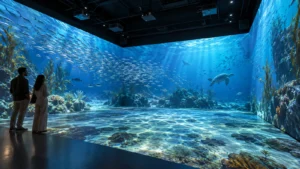
These ranges can change considerably. For example, an immersive visitor center in Yanbu City used six Epson projectors for 180-degree wall and floor projection, driven by one six-output media server. The project demonstrates how projector quantity and server outputs work as one design rather than separate purchases. See the Yanbu immersive room case study.
At a larger scale, Nausicaá National Sea Center used 22 projectors and five media servers to cover the floor and four walls. That installation also specified a target brightness level and multi-channel audio, showing that projector count alone does not define an immersive system. The complete configuration is described in the Nausicaá immersive room case study.
OneCraze’s immersive interactive art museum project in New Zealand illustrates how projection walls, motion-responsive floors, digital art zones and audio can operate as a complete visitor experience. Buyers should define these functions before requesting the final projector count.
How Do Lens, Overlap and Resolution Change the Count?
Projector quantity cannot be separated from lens choice. Throw ratio connects projection distance with image width:
Throw Ratio = Projection Distance ÷ Image Width
If the room provides only a short distance between the projector and wall, the integrator may need short-throw or ultra-short-throw optics. However, a very wide lens can introduce installation sensitivity, focus limitations or difficult geometry at corners. A standard lens may offer better optical performance but require more room and stronger control of visitor shadows.
Edge blending also reduces each projector’s unique coverage. Two projected images must overlap so that the software can create a gradual transition. Consequently, two projectors with a nominal image width of four meters each do not necessarily create an eight-meter seamless wall.
Resolution introduces another tradeoff. One projector may physically cover a large wall, but the resulting pixels may become too large for visitors standing nearby. The designer may divide the wall across additional projectors to increase pixel density, even when brightness and lens coverage appear sufficient.
During design, confirm:
- Native resolution of every projector
- Physical width and height of every surface
- Planned overlap width
- Total blended pixel canvas
- Normal and closest viewing distance
- Lens shift and optical zoom limits
- Maximum digital warping required
- Focus quality at corners and surface transitions
Projectors should also be matched by model and operating mode where possible. Visible differences in brightness, color and black level can break the illusion at overlap zones. For permanent commercial rooms, specify a calibration procedure and define how the operator restores alignment after equipment service.
The surface itself remains important. Dark paint absorbs projected light, while glossy material can create hotspots. The OneCraze guide to interactive projection on carpet, tile and dark floors provides useful surface checks for rooms that include floor coverage.
How Many Media-Server Outputs Does the Room Require?
An immersive room media server must deliver synchronized content to all projector regions. In many designs, each projector receives a dedicated video output. However, processors, video-wall controllers or network-based distribution can change the physical connection architecture.
| System question | What the buyer should confirm | Why it affects the quotation |
|---|---|---|
| Projector output count | Number of independent projector feeds | Determines graphics outputs, processors and server quantity |
| Output resolution | Resolution and refresh rate per feed | Determines GPU load, bandwidth and cable requirements |
| Total canvas | Combined pixel width and height after blending | Determines content-production and playback workload |
| Synchronization | Frame-accurate or general synchronized playback | Affects server and distribution design |
| Redundancy | Backup server, spare output or manual recovery | Changes cost and operational resilience |
| Real-time rendering | Pre-rendered video or Unity/Unreal content | Real-time content can require more CPU and GPU capacity |
| Control functions | Schedule, remote start, monitoring and emergency stop | Determines control software and integration scope |
| Audio | Stereo, surround or spatial audio | Adds synchronized channels and processing requirements |
System integrators sourcing their own computers can review the OneCraze article on interactive projection software licensing, OEM supply and hardware compatibility. The final software quotation should state output limits, offline operation, license transfer and supported control interfaces.

When Does an Immersive Room Need Interactive Sensors?
Select the sensing method from the required action:
- Use LiDAR when the software needs defined position or boundary triggers across a scanning plane.
- Use an infrared camera for selected two-dimensional movement detection in controlled conditions.
- Use a depth camera when the content needs body position, volume or gesture information.
- Use radar for suitable presence and zone-detection applications.
- Combine several sensors when walls, visitors or architectural features create blind areas.
Furthermore, every additional sensor creates calibration data that must align with the projection canvas. The project team should define coordinate systems, interaction zones, latency targets and recovery after restart. OneCraze’s comparison of LiDAR, infrared cameras and depth sensors explains their main differences.
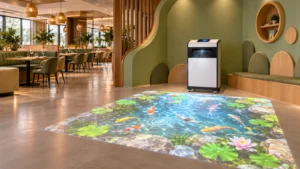
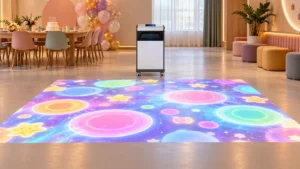
For projects that need interactive floor effects, the OneCraze immersive floor projection mapping system provides a relevant starting point. Its published configuration can scale through multiple channels, but the final channel count and coverage require project drawings.
What Should Buyers Send to a Turnkey Immersive Room Supplier?
A useful proposal requires more than room length and width. The supplier needs architectural, optical, operational and content information to calculate projector count and prepare an installation drawing.
Send the supplier:
- Dimensioned floor plan and wall elevations
- Room length, width and clear height
- Surfaces that require projection
- Photos and a walkthrough video
- Door, window, column and emergency-exit locations
- Available ceiling structure and equipment zones
- Ambient-light conditions and operating hours
- Expected visitor capacity and movement path
- Required viewing distance and image detail
- Pre-rendered or real-time content requirement
- Interaction type and preferred sensors
- Audio and show-control requirements
- Local voltage, network and equipment-room conditions
- Installation country, project schedule and order quantity
For museum and exhibition applications, buyers can also review the OneCraze guide to interactive projection for museums and exhibitions. It covers visitor flow, content, equipment and long-term operation beyond the projector layout.
One projector can create a large immersive wall or compact mapped area, but it normally cannot cover several full walls and a floor from one position. Multi-surface rooms usually need multiple projector regions.
A compact three-wall room may begin with one projector per wall, while wider walls can require two or more blended projectors each. Room dimensions, lenses, resolution and shadows determine the final quantity.
Often, yes, especially when every projector displays a unique part of one large canvas. Video processors and distribution systems can change the architecture, so the supplier should provide a complete output map.