What Should Children Do in Your Restaurant Play Area?
A restaurant kids corner serves a different purpose from a dedicated game arena. Children may arrive at different times, join briefly and leave when food arrives. Consequently, a game that needs a long introduction or uninterrupted team session may not fit everyday dining service.
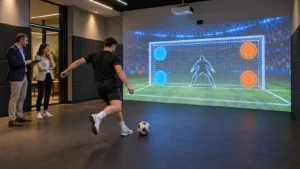
First, decide whether you want open-ended exploration or structured rounds. A movement-responsive scene can provide an activity without requiring a winner. In contrast, a target game may suit a more defined play session, provided the space and supervision match the activity.
Describe the intended experience to the supplier:
- Can children join after the activity has started?
- Does each round need staff assistance or a manual reset?
- What actions does the game encourage: stepping, reaching, running or throwing?
- Which ages and player numbers has the supplier assessed for that specific game?
Ask to see those behaviors in a demonstration. “Kids games included” does not establish that the entire library suits your room or audience. Likewise, a system without headsets still needs clear operating rules and appropriate supervision.
Should You Buy Floor Games or Wall Games?
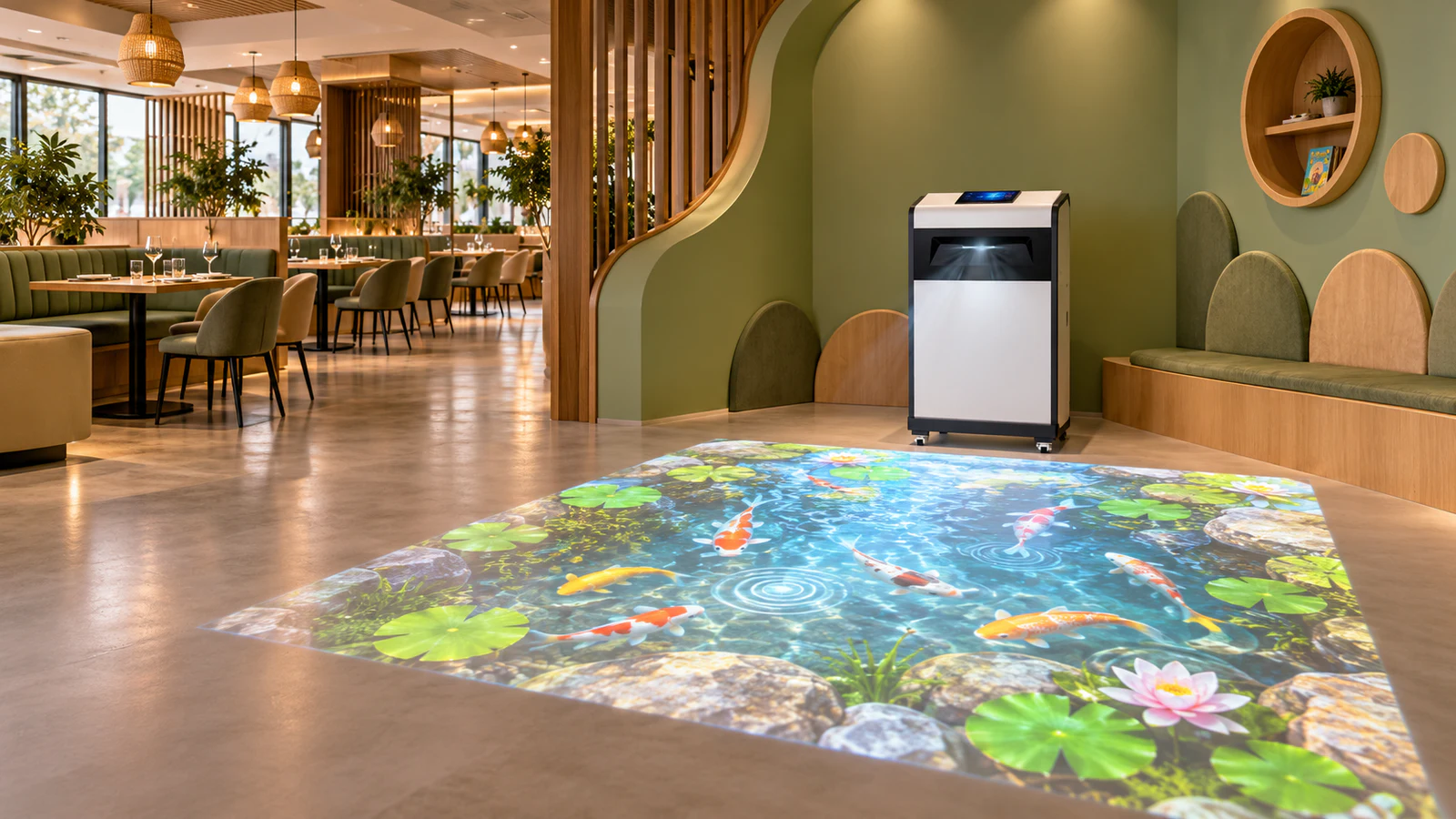
An interactive floor projector for restaurants makes sense when the venue can reserve an open area for movement. Wall projection directs attention toward a vertical surface, but it still needs floor space for players, equipment and circulation.
| Buying consideration | Interactive floor games | Interactive wall games |
|---|---|---|
| Main activity area | Clear floor within and around the projected image | Space in front of the wall, based on the selected interaction |
| Surface review | Floor color, texture, reflections and condition | Wall finish, image height and surrounding fixtures |
| Furniture conflict | Chairs and tables can occupy the play or sensing area | Seating can block the view or player position |
| Daily operation | Check the floor after cleaning and before reopening | Check wall access, equipment position and any game props |
| Best starting brief | A dedicated open movement zone | A defined wall-facing activity zone |
The OneCraze Mobile Interactive Floor All-in-One combines projection, tracking, computing and controls. Its published space requirement is 2.9 × 4.0 meters; that figure is not a complete restaurant layout or an allowance for nearby tables and circulation.
Alternatively, the portable interactive wall projector provides a wall-based option. Confirm the exact included games and their movement requirements before treating it as a compact substitute for a floor system.
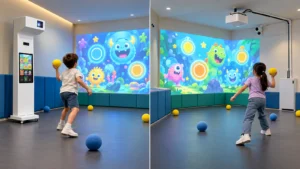
For a restaurant with a separately planned ball-play area, Smash Ball wall projection is another option to evaluate. However, ball throwing needs containment and retrieval planning; it should not become the default recommendation for a corner beside dining tables.

How Can the Layout Preserve Parent Views and Service Routes?
Draw the full room, including occupied chairs, entrance queues and staff routes. An area that looks empty before opening may become a busy passage during lunch service.
Review the proposed position from the restaurant’s normal operating perspective:
- Can accompanying adults see the activity from the intended seating area?
- Can staff carry food and hot drinks without crossing the play zone?
- Can guests reach toilets and exits without walking through active games?
- Can technicians access the equipment without dismantling dining furniture?
Treat adult sightlines as a layout consideration, not a replacement for supervision. Similarly, do not obscure exit signs or necessary circulation routes to improve projection contrast.
Where overhead installation is impractical, the floor projector guide without ceiling mounting explains the mobile approach. Nevertheless, a mobile cabinet still needs a protected position, a suitable power route and the manufacturer’s specified clearances.
What Makes Interactive Games Practical During Dining Service?
Choose content and controls together. Staff should understand how to start the system, select an approved game, adjust available settings and stop play when necessary. Request a demonstration using the controls supplied with the quoted equipment.
Sound deserves particular attention. Assess the game audio, equipment fan noise and activity noise from nearby tables. Muting a speaker does not remove the sound of footsteps or balls hitting a wall. If reduced-volume operation matters, check that players can still understand the game without spoken instructions.
Lighting and cleaning also affect daily use. Test representative scenes with the normal restaurant lighting on, including daytime conditions near windows. The floor-surface compatibility guide explains visual considerations for carpet, tile and darker finishes.
Establish a short reopening routine after cleaning: inspect the area, remove obstructions, confirm the floor is ready for use and check image-to-action alignment. If staff move the equipment, follow the supplier’s positioning and calibration procedure. Do not assume returning a cabinet approximately to its previous location restores accurate tracking.
What Should a Restaurant Equipment Proposal Include?
Ask the supplier to separate the core equipment from optional content and site work. For restaurant kids play area equipment, the proposal should identify:
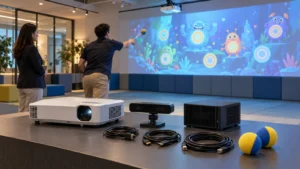
- Projector, sensor, computer, controls and any audio equipment.
- Included game titles, supported actions and player limits.
- Commercial software terms, activation requirements and update scope.
- Installation responsibilities, training and support arrangements.
- Optional branding, translations, additional content and associated fees.
The interactive software licensing guide provides related questions for one site or a restaurant chain. In particular, confirm whether another location requires a separate license and how a replacement computer would be activated.
Use an itemized quotation comparison to distinguish equipment supply from installation and ongoing support. Also request a demonstration of the proposed games under representative conditions. A successful demonstration should help you assess suitability; it does not establish a guaranteed increase in bookings, spending or table turnover.
No. Wall games still require player space and an unobstructed view. Some activities also need throwing distance or props. Compare the complete operating footprint, not only the size of the projected image.
The floor and wall projection formats discussed here do not require VR headsets. However, the selected game may use physical props, and the venue still needs suitable supervision and operating procedures.
That depends on the software configuration and license. Ask which functions operate locally and which need internet for activation, updates or other services. Request a demonstration if offline operation is important.