What Does “Sports Kinect Games” Mean for a Commercial Buyer?
The phrase can refer to Microsoft’s Kinect Sports console games or, more broadly in supplier listings, to sports-themed games controlled through body movement. Buyers should distinguish the two before requesting a quotation.
A commercial motion-sensing system combines compatible game software, a computer, a sensor and a display. The player performs movements that the software translates into game actions. However, using a Kinect sensor does not mean that the package includes Microsoft’s games, an Xbox console or permission to use particular content commercially.
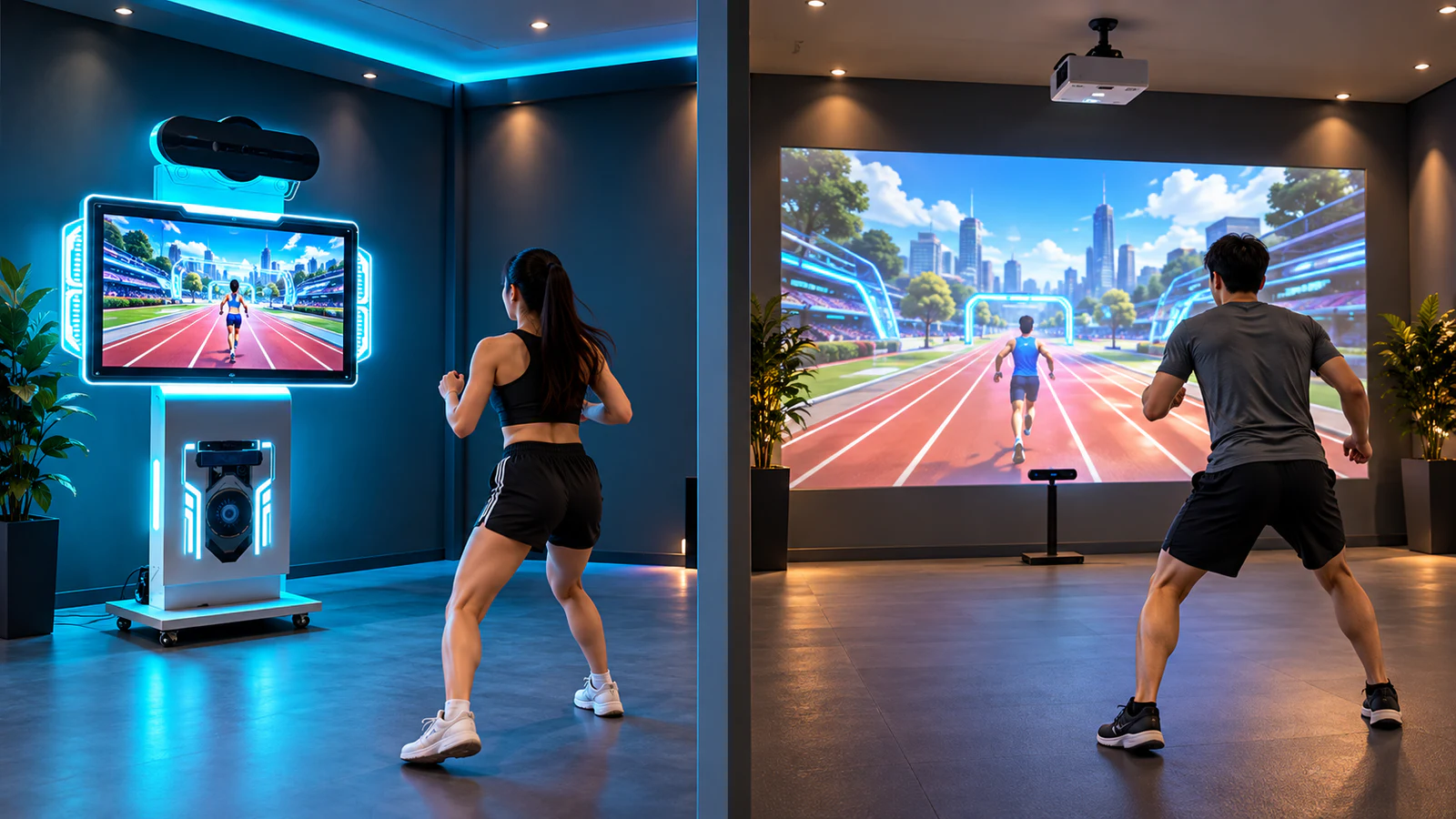
OneCraze’s motion-sensing all-in-one game machine has a published configuration listing a 55-inch display, a computer, Motion Master software and a Kinect 2.0 sensor. Confirm the current supplied configuration and software terms when ordering.
Meanwhile, the interactive sensor game unit provides another starting point for discussing a separately configured installation. A sensor alone is not a complete playable attraction.
Which Motion-Sensing Sports Games Fit Your Visitors?
Start with the actions your audience will perform rather than the total number of games in a library. A short arm-movement challenge and a game requiring repeated jumps create different space, instruction and supervision needs.
Ask the supplier to demonstrate the available sports titles, then group them by visitor experience:
- Quick-entry challenges: Clear instructions and an easily understood objective suit short visits and event participation.
- Movement-based activities: Games involving reaching, stepping or turning need a clearly marked activity area and appropriate user guidance.
- Competitive sessions: Establish whether players compete simultaneously, take turns or simply compare scores after separate rounds.
Next, watch someone unfamiliar with the game try it. Note whether they understand the starting position, receive useful feedback and know when the session ends. This reveals more about everyday usability than a demonstration by an experienced operator.
For a mixed venue, place these experiences within a broader sports entertainment equipment plan. Body-motion games can offer a different interaction style from activities that require physical balls, boards or other equipment. Nevertheless, list only the games included in your selected package—not every sport shown in general promotional material.
All-in-One Machine or Projector Setup: Which Fits Your Venue?
An all-in-one machine brings the main display and computing equipment into one equipment format. It can make a fixed activity station easier to define, although the floor space in front still needs careful planning.
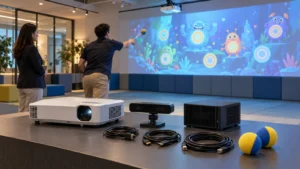
A projector setup separates the visual installation from the computing and sensing components. It gives you more flexibility over image size and placement, but adds decisions about mounting, lighting, cables and the projection surface.
| Buying consideration | All-in-one machine | Projector setup |
|---|---|---|
| Visual presentation | Display size follows the selected machine | Image size follows the projector, lens and installation geometry |
| Site planning | Check cabinet position, sensor view and player area | Also check throw distance, mounting and possible shadows |
| Event deployment | Verify transport protection, weight and setup procedure | Verify repeatable positioning, alignment and cable protection |
| Existing equipment | Usually assessed as a defined machine package | Existing components may be reusable after compatibility checks |
| Best reason to consider it | You want a clearly defined screen-based station | You want a larger or site-specific visual presentation |
For example, a fixed visitor activity corner may favor a self-contained display, while a staged event may prioritize a larger image for spectators. These are planning preferences, not guarantees that either configuration works in every venue.
If projection suits your project, review the projector selection guide. Also distinguish body-motion games from other interactive projection games for sale: ball-impact, floor-step and body-tracking experiences do not necessarily use interchangeable sensors or software.

How Much Play Space Should You Reserve?
Screen width is not the same as usable play width. The sensor needs a suitable view of the participant, and the selected game determines how far that participant moves.
Request a layout for the actual sensor and game package showing three separate boundaries: equipment positions, active play space and spectator space. Keep queues and through-traffic outside the activity area so that waiting visitors do not obstruct players or the sensor’s view.
Then test the proposed arrangement with the room lights on. Include the expected movement range, player entry and exit, and realistic spectator positions. For event installations, repeat these checks after moving the equipment; a successful showroom demonstration does not validate every new venue.
When the station forms part of a larger center, use the active game center layout guide to plan circulation between attractions. Do not assign a universal minimum area before confirming the chosen games and tracking arrangement.
What Makes the Package Ready for Commercial Operation?
Commercial readiness involves more than launching a game. Staff need a repeatable way to start the system, explain the activity, change games and recover from interruptions.
Before ordering, confirm:
- Software scope: The included titles, available languages, commercial-use permission, license duration and update terms.
- Daily operation: Startup steps, game selection, offline behavior and the method for returning to the main menu.
- Hardware support: The supplied sensor model, its condition, replacement availability and compatibility with the delivered software.
- Optional customization: Whether branding, multilingual content or external control is available, and what development or licensing it requires.
Do not assume that a different depth camera can replace the quoted sensor without software changes. Likewise, a machine’s physical enclosure does not establish Android, Windows or Bluetooth compatibility; the final technical schedule should identify the actual platform.
Finally, request a demonstration covering a complete visitor session and staff restart procedure. The factory acceptance test guide offers a useful structure for documenting the agreed configuration before shipment.
Not for a separately supplied PC-based motion-sensing package. However, Xbox games and commercial PC software are distinct products. Confirm the operating platform and included software rather than assuming compatibility from the word “Kinect.”
Possibly. Share its model, inputs, resolution and installation details for review. A compatible display does not remove the need for an appropriate computer, sensor, software and play area.
Only if the selected games and configuration support it. Ask the supplier to demonstrate the stated player count and clarify whether “multiplayer” means simultaneous participation or turn-taking.