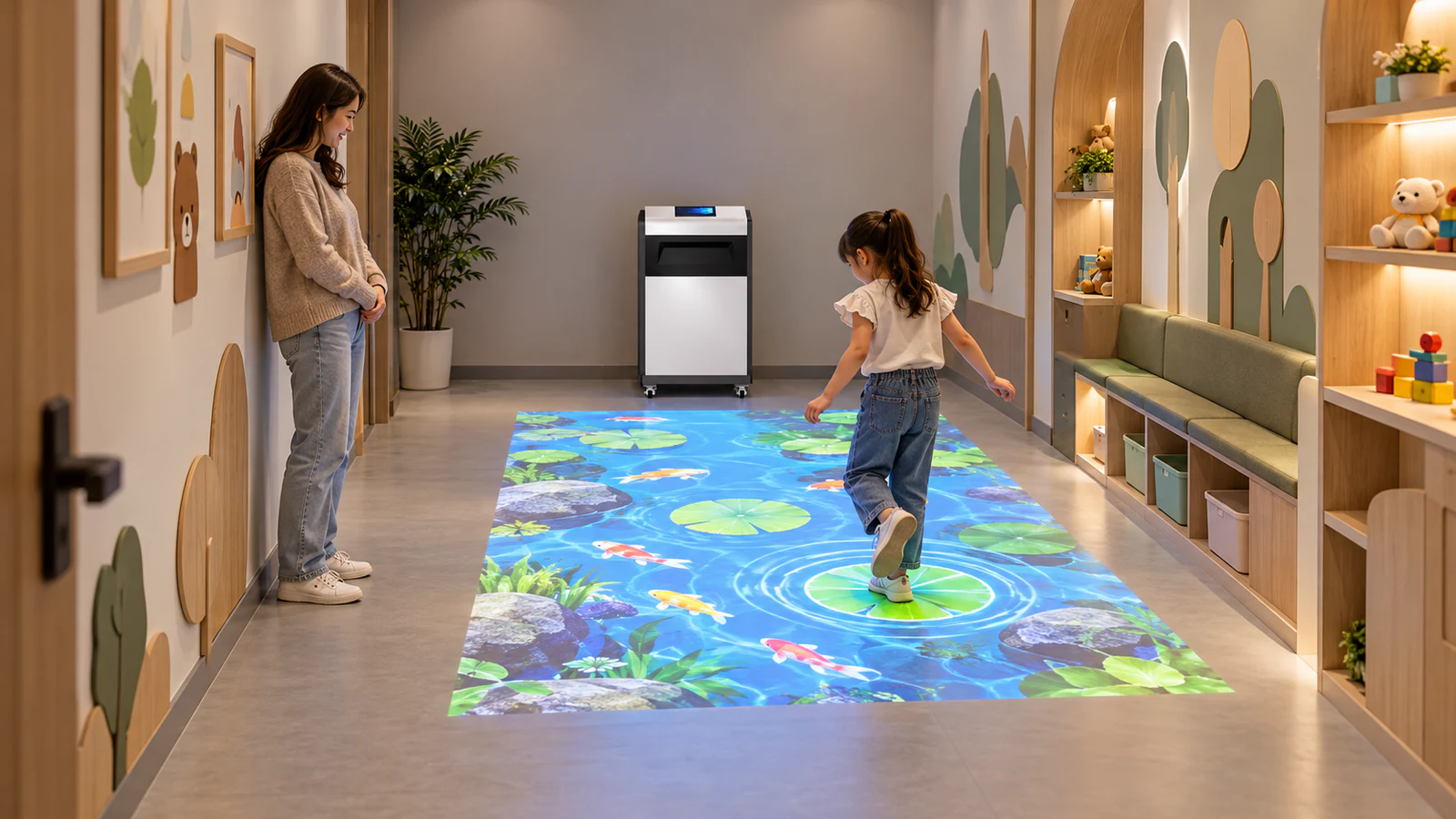
For venue owners and AV integrators, the practical starting point is a dimensioned layout—not a promise that one machine can cover any room. When evaluating an interactive floor projection system, ask the supplier to show where the equipment, game boundaries and circulation routes will sit before approving the configuration.
Can a Narrow Room Support Interactive Floor Games?
Potentially, yes. However, a long rectangular room may suit a compact activity zone better than an image stretched across its entire length. The goal is a game people can see, reach and play comfortably, not maximum coverage at any cost.
First, measure the clear width and length after accounting for furniture, columns, door swings and equipment. Then identify the space that must remain available for access, supervision and circulation. A room used as a through-route needs particular care: passing visitors should not have to cross an active game to reach another area.
Next, choose the intended action. Stepping on nearby targets, moving through ambient effects and playing a running competition place different demands on the same floor. Treat these as design options to evaluate, not interchangeable activities supported by every machine.
The floor surface guide also helps assess image visibility on the existing finish. Floor appearance and ambient light still matter even when the layout fits geometrically.
What Is the Difference Between Room Size and Play Area?
Ask for separate dimensions rather than one headline coverage figure. In a constrained room, confusing these areas can lead to an unsuitable purchase.
| Area to define | What it means | What buyers should confirm |
|---|---|---|
| Available room space | Clear space after fixed obstructions are considered | Doors, furniture, columns and circulation routes |
| Projected image | The visible rectangle or mapped image on the floor | Actual width, length, orientation and mounting position |
| Reliable sensing area | The region where the selected system detects the required actions consistently | Coverage at edges, corners and with players present |
| Active game area | The region containing playable targets and interactions | Alignment with the image and verified sensing area |
| Player movement space | Space needed for the intended actions and participant count | Clearances, supervision and separation from other activities |
Can Standard Games Be Stretched or Cropped to Fit?
Not automatically. Changing an interactive floor game’s aspect ratio can affect its appearance, interface and relationship between visible targets and detected actions.
Resizing is different from redesigning
Uniform scaling preserves the image proportions, but may leave unused floor space. Stretching changes those proportions, which can distort graphics. Cropping removes part of the image and may hide targets, instructions or results. None of these operations guarantees that the game remains practical to play.
For example, a two-sided game could place players too close together after its layout is compressed. Likewise, a target positioned at the far end of a long play area may no longer suit the intended audience or round timing. These are issues to test with the actual game, not reasons to assume every narrow room is unsuitable.
Confirm what the software can adapt
Ask whether the selected content supports a smaller active region, different target positions or another layout. If not, the supplier may need to recommend different games or quote development work separately.
The interactive game customization guide explains scope questions to raise. Also confirm the supported resolutions and hardware combinations through the floor projection software guide. Do not assume that visual branding options include changes to gameplay geometry.

Should You Choose an All-in-One or Separate Components?
A mobile all-in-one system can simplify equipment placement where ceiling installation is restricted. However, its cabinet occupies floor space, and its optical and sensing arrangement still imposes limits. Moving the cabinet until the image fits does not guarantee complete tracking coverage.
When considering a mobile interactive floor projector, request a drawing showing the cabinet footprint, image location and necessary access around the equipment. The machine should not obstruct an entrance or require loose cables across a circulation route.
A separate-component system can offer more placement flexibility, subject to suitable mounting positions and installation work. Nevertheless, a ceiling-mounted projector does not automatically solve a narrow-room problem: the lens, sensor view and content layout still need to agree.
If drilling or overhead mounting is the main constraint, review the no-ceiling-mounting options. Then compare configurations against the same proposed play area, rather than comparing only advertised maximum coverage.
What Should a Supplier Demonstrate Before You Order?
Request a demonstration representing the proposed image dimensions, game layout and participant count. A video from a much larger room can introduce the product, but it cannot establish that your narrow installation will perform the same way.
Ask the supplier to demonstrate:
- Image fit: Show the complete game, including instructions and results, within the agreed boundaries.
- Edge response: Trigger targets near each corner and along both long sides, not only in the center.
- Player movement: Run the selected activity with the intended number of participants and check for crowding or missed interactions.
- Operating conditions: Explain which lighting, floor finish and mounting conditions the test represents, and what still requires site verification.
Include these points in the factory acceptance test, followed by acceptance at the installation site. Where a factory demonstration cannot reproduce your room, document that limitation and agree how the remaining checks will be completed.
There is no universal minimum across all systems and games. The required width depends on the image geometry, sensor placement, equipment footprint, activity and participant count. Ask for the minimum usable dimensions of the specific configuration being quoted.
It depends on the lens, mounting position and required image shape. Even if the image reaches the desired length, its width or tracking coverage may not suit the space. A smaller, well-defined play zone may be more practical than full-room coverage.
Rotation may help some layouts, but the software, sensor mapping and instructions must support the chosen orientation. Ask for a demonstration of the complete interaction, rather than approving a rotated screenshot alone.