What Is an Interactive LED Hoops Game?
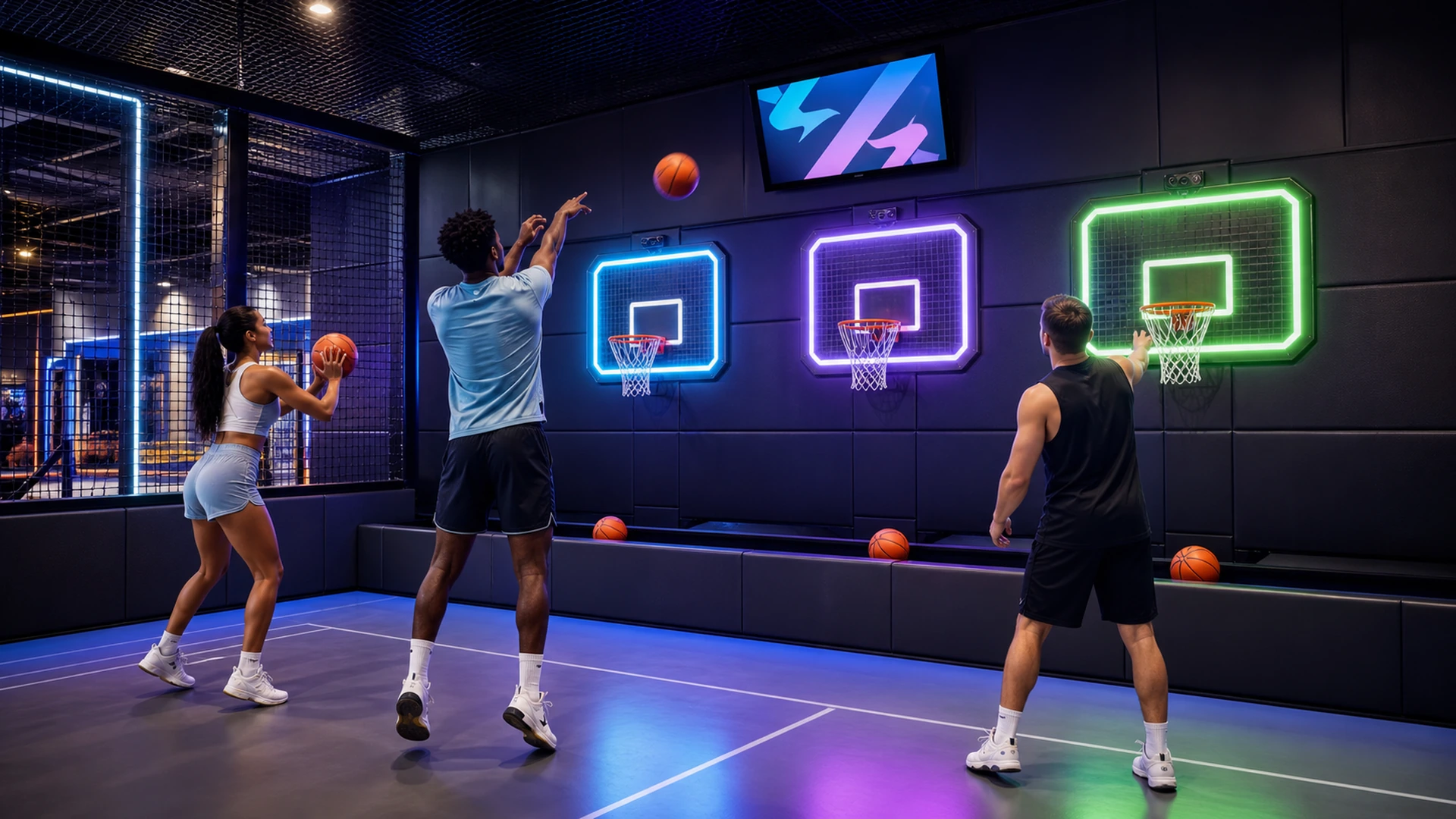
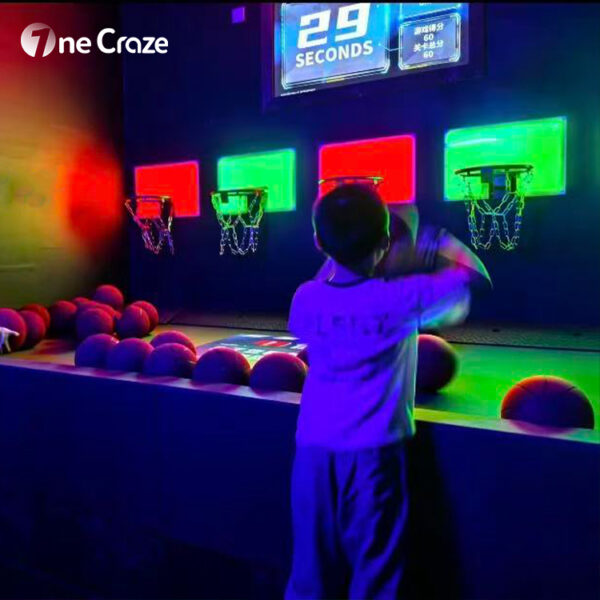
An interactive hoops game gives players a visual instruction and then detects whether the corresponding action succeeds. For example, one LED backboard may illuminate blue while another displays green. The software asks a player or team to shoot at the correct target, measures the result and immediately changes the next instruction.
The OneCraze Activate LED Game Hoops solution uses color-changing LED elements, proximity sensing and software-controlled game rules. Its current product page lists multiplayer operation, five basic modes, administrator-created games through the backend and a minimum venue area of 3 × 5 meters. The page also lists a three-year warranty and lifetime software support; the final quotation should define the covered components, update scope and service process.
Unlike a standard basketball arcade cabinet, a room-based system can spread several targets across a wall and let players move between shooting positions. It can also divide targets by team color, introduce memory sequences or change the active target after each score. Therefore, the attraction tests reaction, accuracy and communication rather than only counting how many baskets a player makes in a fixed time.
The LED hoops room also differs from full basketball court mapping. Projection mapping creates detailed graphics across a much larger floor or court, while the LED challenge focuses on compact, high-speed target play. Buyers who are comparing both formats can read the existing OneCraze article on interactive basketball court mapping versus LED hoop games.
How Should a 3 × 5 Meter Basketball Challenge Room Be Planned?
The listed 3 × 5 meter minimum gives buyers a starting point, not a universal finished-room size. The actual plan must account for the number of targets, shooting distance, player capacity, ball movement, entrance, equipment cabinet and local circulation requirements.
The following planning table shows the main room decisions:
| Planning area | What to define | Why it matters |
|---|---|---|
| Hoop and target wall | Quantity, height, spacing and mounting structure | Controls difficulty, visibility and player reach |
| Shooting zone | Distance, width and number of active players | Prevents collisions and supports consistent rules |
| Ball containment | Side netting, overhead protection and entrance treatment | Keeps missed shots away from equipment and other guests |
| Ball return | Gravity return, collection channel or staff-managed rack | Reduces loose balls and reset time |
| Operator position | Start, pause, reset, emergency stop and room view | Gives staff control over every session |
| Score display | Timer, points, team colors and result screen | Makes the game easy to understand and watch |
| Service access | Access to sensors, LED modules, controllers and wiring | Allows maintenance without dismantling the room |
| Entry and queue | Door swing, instruction point and waiting area | Separates active players from incoming groups |
Regulation basketball uses a 3.05-meter ring height, but an entertainment room does not automatically need to copy a competition court. The official FIBA Basketball Equipment rules provide a useful reference for conventional rings, backboards, secure support structures and protective padding. Nevertheless, OneCraze should select target height and shooting distance according to the game concept, player age and local safety assessment rather than presenting a customized challenge room as a regulation court.
How Do Sensors Detect a Basket and Prevent Scoring Errors?
Scoring accuracy directly affects player trust. If a clean basket does not register, or if a bouncing ball creates two points, guests quickly stop taking the leaderboard seriously. Therefore, the supplier must explain what the sensor detects and how the software filters incorrect signals.
A hoops system may use infrared beam sensors, proximity sensors, switches, optical sensing or a combination of methods. The physical mounting must keep the sensing zone aligned with the ball path while protecting the component from repeated impact. Ambient light, reflective surfaces, loose cables and vibration can also affect some sensor configurations.
Good software should add a short debounce or lockout period after a valid basket so one ball cannot trigger several scores as it passes through or rebounds. Meanwhile, the game controller must associate the signal with the correct target, team and active time window. A basket through an inactive hoop may receive no point, a penalty or a different score depending on the selected mode.
Which Hardware and Software Specifications Should Buyers Compare?
A commercial quotation should identify the complete system rather than describing it only as an “LED basketball game.” The OneCraze product page lists an LED light module size of 30 × 26 × 6 cm and an IP65 rating, but buyers should confirm exactly which enclosure or component carries that rating and request the supporting test report. An individual light module rating does not automatically make the complete room or control system IP65.
| System component | Details to request | Commercial importance |
|---|---|---|
| LED target or backboard | Dimensions, brightness, material, RGB control and replaceable modules | Provides the visual instruction and receives ball impact |
| Hoop and net | Ring diameter, mounting method, net material and target height | Affects shooting feel and structural stability |
| Score sensor | Sensing method, response time, protection and calibration | Determines whether game results remain credible |
| Support structure | Material, anchoring, padding and rated load | Keeps the target stable during repeated use |
| Ball containment | Net specification, frame, openings and service access | Protects surrounding equipment and visitors |
| Control computer | Hardware specification, automatic startup and backup image | Supports reliable daily operation |
| Game software | Modes, difficulty, scoring, team setup and administrator tools | Determines replay value and customization |
| Operator interface | Start, pause, reset, emergency stop and diagnostics | Simplifies staff control and fault recovery |
| Scoreboard and audio | Display size, viewing angle, timer and sound cues | Helps players and spectators understand the round |
| Spare parts | Sensors, LED modules, controllers, cables and power supplies | Reduces downtime after a component failure |
Which Basketball Game Modes Increase Replay Value?
The first round should use simple colors and clear scoring. After players understand the system, later levels can add memory, movement, team roles and time pressure. This progression keeps the attraction accessible without making every session feel identical.
OneCraze can organize the game library around several formats:
- Target reaction: shoot at the hoop that lights up before the color changes.
- Team color: each team scores only through its assigned target color.
- Memory sequence: remember and repeat a series of illuminated hoops.
- Accuracy streak: build a multiplier by scoring consecutive correct baskets.
- Time attack: reach a target score before the countdown ends.
- Cooperative mission: the group completes a shared target sequence.
- Elimination mode: incorrect shots remove time, points or remaining chances.
- Moving priority: target values change as the round progresses.
Difficulty should change more than the countdown speed. The software can reduce the active window, increase target distance, add false colors, require alternating team members or change the scoring value of each hoop. For children, operators can use lower targets and longer response times. Teen and adult groups may prefer wider movement, strategic roles and visible rankings.
Short rounds support FEC throughput because new groups can enter quickly. In contrast, birthday parties and corporate bookings can combine several modes into a tournament with cumulative scoring. Operators can track sessions, average group size, replay rate, completion rate, reset time and sensor errors to determine whether the room performs well.
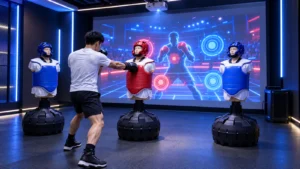
The basketball room also works as one station inside a larger active game center. Guests can move from upper-body shooting to an interactive touch wall game room and then to a commercial Floor Is Lava LED grid challenge. Each room tests a different physical skill while using a consistent booking or leaderboard model.
What Should an Interactive Basketball Game Manufacturer Provide?
A hardware-only offer may include hoops, LED targets, sensors, controllers and basic software. A turnkey room may also include structural frames, padding, containment nets, ball return, score displays, lighting, audio, wall treatment, installation drawings and training.
OneCraze can discuss several supply levels:
- Component and software package for an experienced local integrator.
- Complete game system with LED targets, sensors, control hardware and standard modes.
- Turnkey room solution with layout, support structures, containment, audiovisual effects and installation guidance.
- OEM or ODM customization for language, branding, scoring rules and target arrangement.
- Multi-room active entertainment planning with basketball, touch wall, LED floor and laser challenges.
Before comparing prices, buyers should require each supplier to list included and excluded items. The proposal should state target quantity, room dimensions, player capacity, game modes, balls, containment system, power, packaging, lead time, warranty, spare parts, remote support and commissioning scope.
Commercial operators also need a documented lifecycle plan. The ASTM F3559-25 guide outlines lifecycle-management processes and roles for owners, operators, designers, manufacturers, vendors and suppliers of amusement rides or devices. It does not automatically classify every basketball challenge room, so the buyer and local authority must determine which amusement, sports, electrical, fire, accessibility and building rules apply.
Venue owners planning several attraction types can explore the broader OneCraze interactive entertainment product collection before selecting the final room mix.
The current product page lists a minimum area of 3 × 5 meters. The finished room may need additional space for ball containment, entrance, operator access, equipment and the intended player capacity.
No. A traditional cabinet normally uses one basket and repeated timed shooting. An interactive game room can use several illuminated targets, changing colors, memory rules, team modes and room-based movement.
The current OneCraze product page states that administrators can create games through the backend. Buyers should confirm which colors, sequences, timers, scoring rules and difficulty settings can be changed without additional software development.
Build an Interactive Basketball Challenge Room with OneCraze
OneCraze can help configure the LED hoops, sensors, structural system, ball containment, scoring software and room layout for a commercial basketball challenge attraction.
View the OneCraze Activate LED Game Hoops solution or contact OneCraze with your floor plan, target player count, project country and preferred game modes. The team will prepare a hardware or turnkey room recommendation for your venue.