What Is an Interactive Touchscreen Table Drawing Mapping Device?
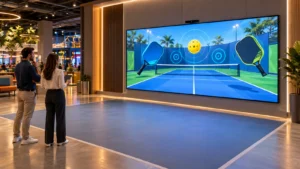
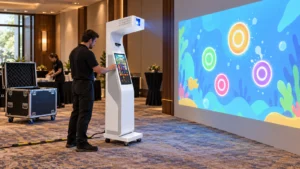
An Interactive Touch screen Table Drawing Mapping Device is a smart system that connects a touch-enabled table with a projection or LED wall.
How does it work?
- Users draw directly on the touchscreen table
- The system processes input in real time
- The drawing is projected or displayed on a wall surface
- The image becomes animated or interactive
This transforms a simple drawing into a dynamic game experience.
Key Features
- Multi-touch support
- Real-time rendering software
- Projection mapping or LED wall integration
- Interactive animation engine
How Does the System Connect the Table and the Wall?
The interaction between the table and wall depends on a combination of hardware and software integration.
Core Components of the System
- Touchscreen table (input device)
- Processing unit (computer/software system)
- Projector or LED wall (output display)
- Motion sensors or cameras (optional enhancement)
Interaction Workflow
- Step 1: User draws on the table
- Step 2: The software captures input coordinates
- Step 3: The system maps the drawing to wall coordinates
- Step 4: The wall displays and animates the drawing
What Are the Interactive Principles Behind “Draw Alive”?
The concept of “Draw Alive” is at the core of this technology.
How does “Draw Alive” work?
- Drawings are digitized instantly
- AI or rule-based animation engines bring them to life
- The system assigns movement, color effects, and behaviors
The Interactive Principles Behind “Draw Alive”
- Real-time rendering: No delay between drawing and display
- Behavior mapping: Objects react based on predefined logic
- User feedback loop: Users see immediate results
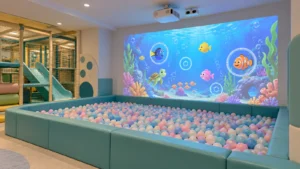
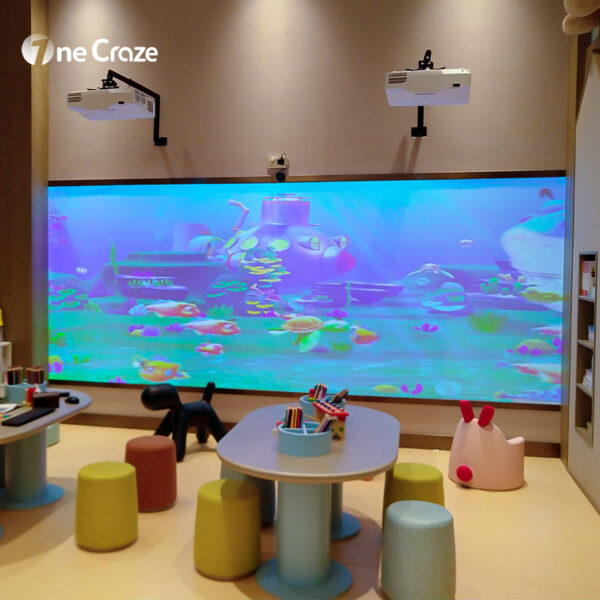
For example, a child drawing a fish can see it swim across the wall. This transforms the system into a highly engaging interactive game.
What Software Powers Interactive Wall-Based Drawing Systems?
The backbone of the entire system is software development.
Custom Development of Interactive Wall-Based Touch screen Drawing Game Software
Professional manufacturers like onecraze provide customized software solutions tailored to specific use cases.
Software Capabilities
- Drawing recognition engine
- Animation and physics system
- Multi-user interaction management
- Content management system
Why Custom Software Matters
- Supports unique branding for your store or venue
- Enables scalable game scenarios
- Improves user engagement
What Are the Advantages and Disadvantages of This System?
Below is a comparison table to help you evaluate this solution:
| Aspect | Advantages | Disadvantages |
|---|---|---|
| User Experience | Highly immersive and interactive game experience | Requires user guidance initially |
| Technology | Real-time rendering and mapping system | Needs stable hardware setup |
| Customization | Fully customizable software and themes | Custom development increases price |
| Business Value | Attracts traffic to store or venue | Higher upfront cost |
| Maintenance | Modular system for easy upgrades | Requires technical support |
Where Can This System Be Applied in Real Life?
This system is widely used across multiple industries.
Top Application Scenarios
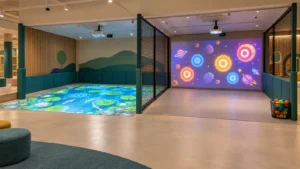
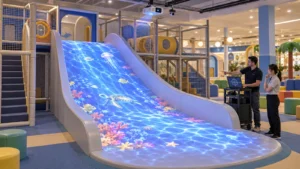
- Children’s play centers → interactive drawing games
- Museums → educational storytelling experiences
- Shopping malls → traffic attraction installations
- Restaurants → interactive dining entertainment
- Schools → creative learning tools
Yes, most systems support multi-touch and multi-user interaction, making them ideal for group gameplay.
Typically, it is designed for indoor environments, but customized waterproof solutions can be developed.
Installation usually takes 3–7 days, depending on system complexity and customization requirements.