It explains the published eight-game package, hardware configuration, venue planning and quotation checks buyers should complete before ordering a multi-sport ball game system.
What Is a Commercial Multi-Sport Ball Simulator?
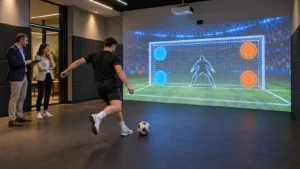
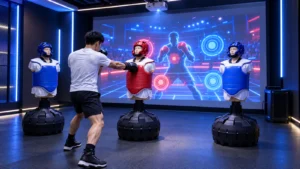
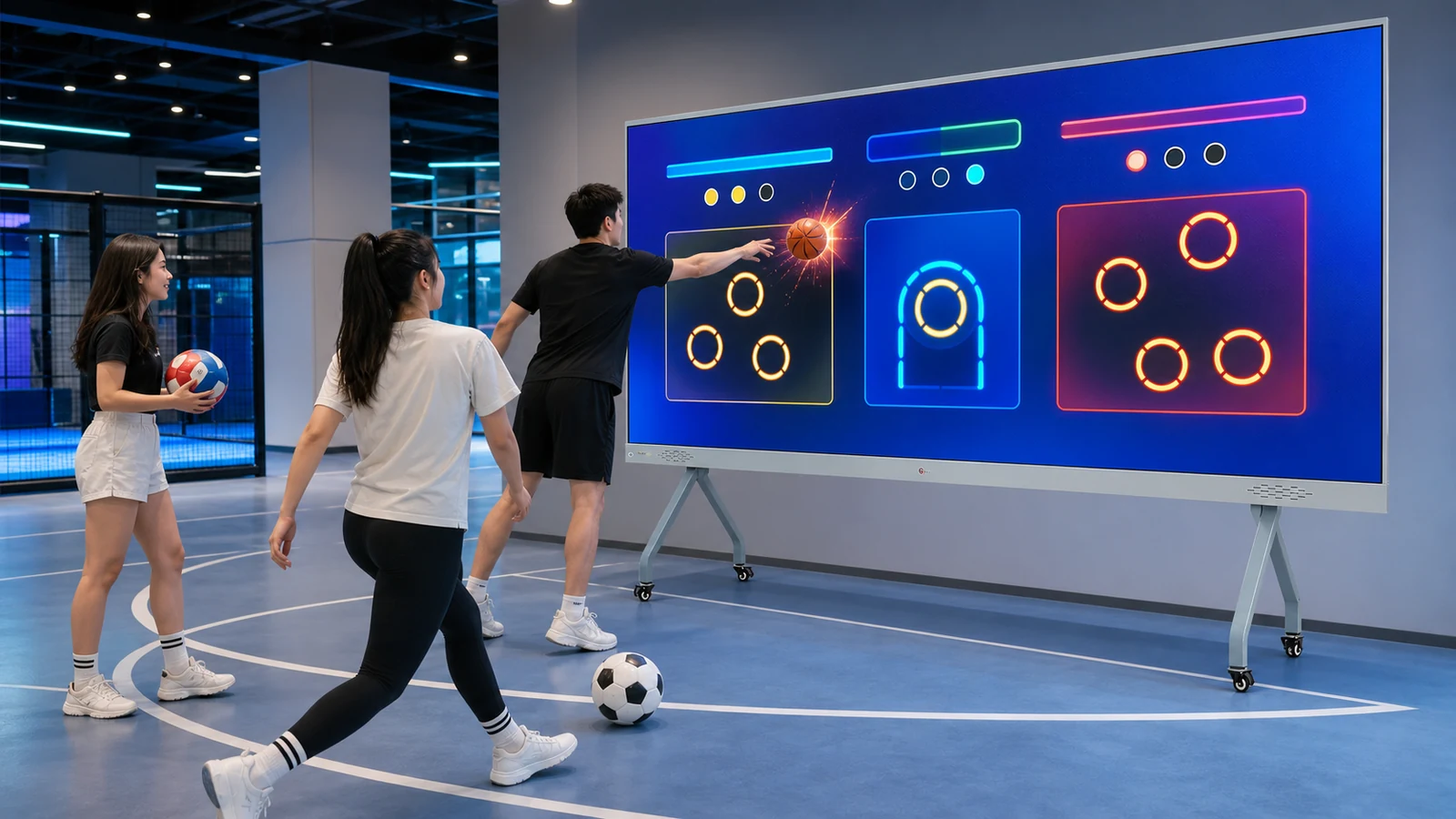
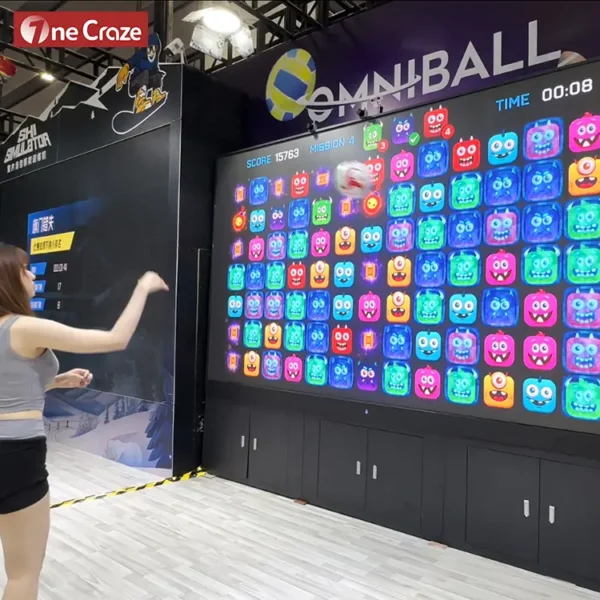
A commercial multi-sport ball simulator is an interactive wall that combines a large digital image with ball or player detection. The computer runs different sports scenes, the projector displays them on the wall, and the sensors translate physical movement into game events. Therefore, the same room can offer football accuracy challenges in one session and basketball, tennis-style or reaction games in the next.
The commercial format is particularly suitable for:
- Family entertainment centers and indoor playgrounds
- Sports clubs, gyms and youth activity centers
- School recreation and physical-activity rooms
- Resorts, hotels and shopping malls
- Corporate team-building and branded event spaces
- Distributors creating local active-entertainment packages
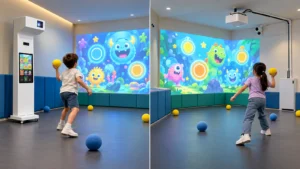
This product should not be confused with a basic ball-throwing wall game, which may use fantasy targets and children’s themes instead of a broader sports library. It also differs from a single-sport training simulator. Buyers who need a deeper explanation of ball detection can read the OneCraze guide to an interactive multi-sport wall projector with ball tracking.
What Is Included in the OneCraze Omniball 8-Game Package?
| Published package item | Current listed specification | What the buyer should confirm |
|---|---|---|
| Game software | 8 games | Game names, sport categories, player modes, language and license term |
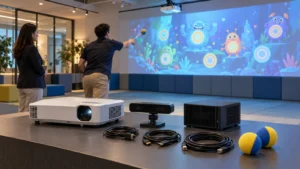
| Integrated server | Intel Core i3-9100F, 8 GB memory, 128 GB storage and GTX 2060-class graphics listed | Final CPU, GPU, storage, operating system, ports and recovery image |
| Projector | 5,300 lumens, 1920 × 1200 resolution and approximately 0.44:1 throw ratio listed | Brand, model, light source, brightness standard, native resolution and warranty |
| Tracking equipment | IR camera, laser sender and stereo camera listed | Exact models, mounting positions, detection area and supported ball types |
| Operator accessories | Keyboard, mouse and remote control | Operator interface, game selection method, start/stop control and access permissions |
| Service | Three-year warranty and lifetime software support are currently listed | Parts coverage, labor, shipping responsibility, update policy and remote-support hours |
Should You Buy a Projection or LED Interactive Sports Wall?
The published Omniball hardware list describes a projector-based system because it includes a 5,300-lumen projector and a 0.44:1 throw ratio. Although the product-page heading also mentions an LED wall, projection and LED are separate display configurations. A buyer should not accept a quotation that uses both terms without identifying the actual display hardware.
| Display configuration | Main advantage | Main limitation | Best starting application |
|---|---|---|---|
| Short-throw projection wall | Large image with relatively light wall hardware and flexible sizing | Ambient light, shadows and wall finish affect contrast | Indoor FEC, school, gym and event rooms with controlled lighting |
| Direct-view LED wall | Strong brightness and no projected shadow | Higher hardware cost; modules need impact protection and service access | Bright commercial spaces and premium permanent installations |
| Projection with sensor frame | Dedicated impact-detection structure can provide a defined active border | Adds physical hardware and fixed dimensions | High-use permanent sports and training walls |
| Portable projection unit | Can move between rooms or events | Requires recalibration and a suitable wall at every location | Rental companies, roadshows and multi-purpose venues |
Projection is often the practical starting point for an existing room because the installer can use a short-throw lens to create a wide image with limited distance. Nevertheless, the final projector position must be calculated from the exact model rather than from the 0.44 ratio alone. ProjectorCentral’s throw-distance calculator explains how throw distance and image width relate, while the OneCraze projection mapping projector buying guide covers brightness, surface and commercial specification checks.
Brightness also needs context. A single lumen figure does not guarantee colorful sports graphics in a bright room. Epson’s official projector guide recommends checking both white and color brightness because the two outputs can differ. Consequently, buyers should request a live test at the ordered image size with the room lights set to the planned operating level.
How Much Space Does an Interactive Ball Wall Need?
Before requesting a layout, send the supplier:
- Wall width and clear height
- Room depth from the wall to the opposite obstruction
- Ceiling height and ceiling construction
- Photos taken from the wall and player positions
- Door, window, column and emergency-exit locations
- Ambient-light measurements or videos at operating time
- Wall material, color and finish
- Expected player ages and group size
- Preferred ball type, diameter, color and weight
- Daily operating hours and expected peak traffic
Do not assume that regulation sports balls are automatically suitable. A hard basketball or fast tennis ball can create different rebound, wall-damage and tracking risks from a lightweight foam ball. Ask the supplier to approve the exact ball and repeat the test with multiple players. The OneCraze interactive wall projector installation guide for gyms provides additional questions about wall construction, mounting and factory tests.
Operational flow is equally important. A commercial venue should decide who selects games, how sessions start and end, where scores appear, how balls return to players and how staff stop the system. For FEC applications, the guide to interactive wall projection games for FECs explains how queueing, supervision and game duration affect the room beyond the equipment specification.
What Determines the Multi-Sport Simulator Price?
The interactive sports wall price depends on the scope of supply, not simply the number of games. A hardware-only quotation can exclude the projector, wall, installation or software customization, whereas a turnkey proposal may include design, mounting, calibration and operator training. Therefore, compare line items before comparing totals.
Ask every supplier to separate the following costs:
- Game server and operating system
- Projector or LED display and mounting hardware
- IR, stereo-camera or other tracking equipment
- Eight-game software license and update terms
- Audio, operator controls and approved balls
- Projection wall or impact-resistant surface
- Custom logo, interface, language and branded game content
- Packing, freight, insurance and import terms
- On-site installation, travel and commissioning
- Spare parts, warranty and remote technical support
Then ask for hardware-only, complete package and optional customization totals. The OneCraze guide to comparing interactive projection quotations can help procurement teams normalize offers from different suppliers.
Before paying the balance, complete a documented interactive projection system factory acceptance test. For this product, the test should cover all eight games, multiplayer joining, every approved ball, center and edge detection, 30–60 minutes of continuous use, restart recovery, projector focus, audio, operator controls and packing-list verification. Record the hardware serial numbers and final software version in the acceptance report.
Can a Manufacturer Customize the Games, Language and Branding?
Customization can turn the simulator from a general attraction into a product for a specific venue or distributor. However, adding a logo to the start screen is not the same as developing a new game. Buyers should define the requested level before asking for a price.
Common customization levels include:
- Logo, colors and menu graphics
- English, Arabic or another interface language
- Local score units and operator instructions
- Venue-specific characters, targets and backgrounds
- Sponsor messages and timed campaign content
- Modified difficulty, session duration or scoring rules
- A completely new branded sports game
- Remote control, API or venue-management integration
For international projects, translated text must fit the interface and remain understandable during fast gameplay. Arabic also requires right-to-left layout, not only translated words. Buyers planning multilingual deployment can review the OneCraze guide to multilingual interactive projection software and Arabic RTL.
Distributors should additionally ask who owns the source assets, who can edit the game later and whether the license is tied to a computer, sensor or account. A written scope should list deliverables, supported resolution, revision rounds, acceptance criteria and update responsibility. The OneCraze article about custom interactive wall games, OEM software and API integration explains these options in more detail.
OneCraze provides hardware matching, interactive software, content customization and project support for commercial venues. Buyers can review the broader interactive entertainment product range and the company’s interactive multimedia experience before requesting a project-specific proposal.
The currently published package specification lists a 5,300-lumen projector with 1920 × 1200 resolution and an approximately 0.44:1 throw ratio, so this configuration should be treated as projector-based. If a buyer wants an LED version, the quotation must list the LED cabinet, pixel pitch, protection method, controller and spare modules separately.
Not automatically. The standard product is best positioned as an active-entertainment and sports-challenge system. If the project requires ball speed, launch angle, trajectory or athlete analytics, include those measurements in the specification and require recorded accuracy tests from the proposed hardware.