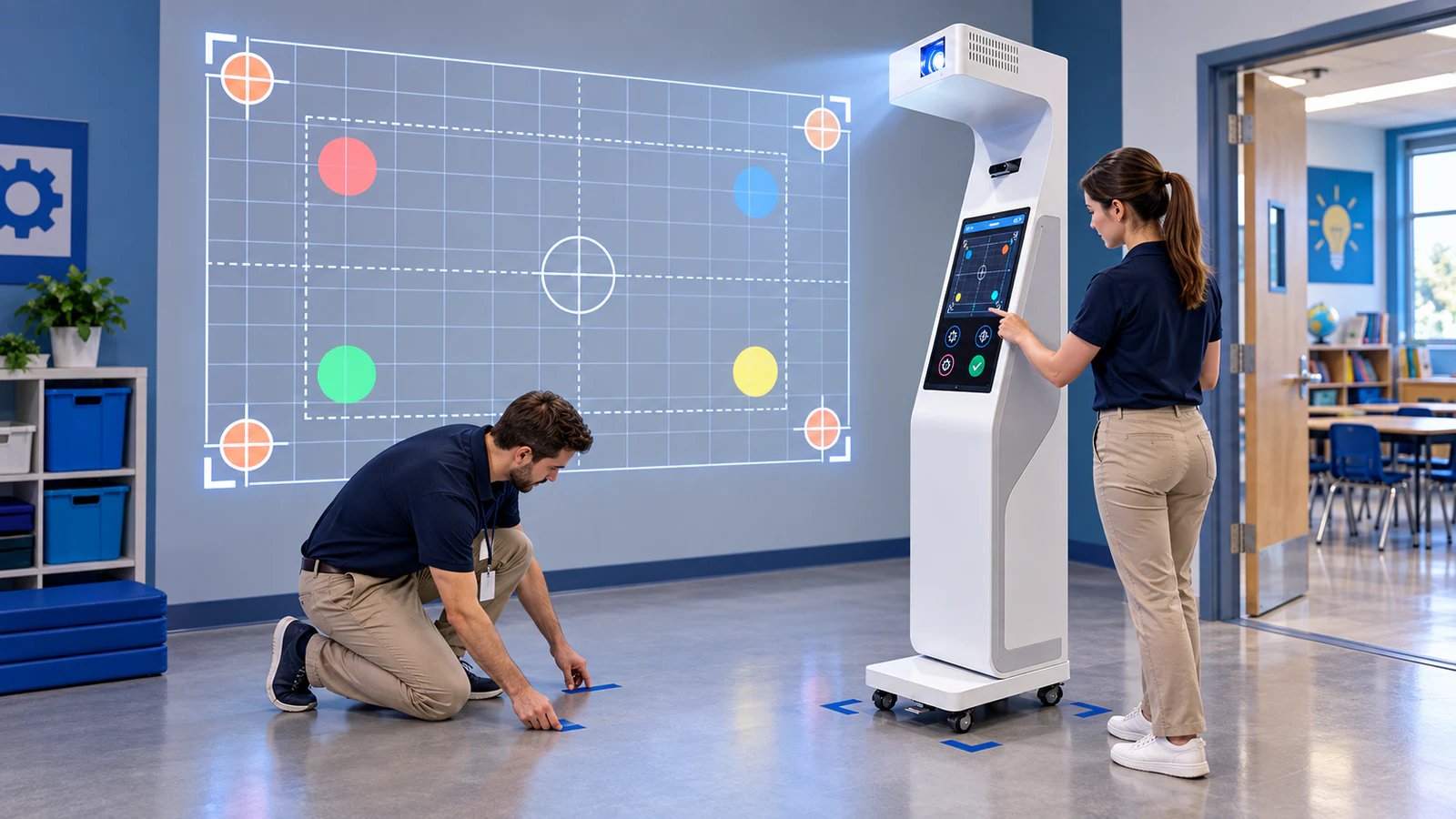
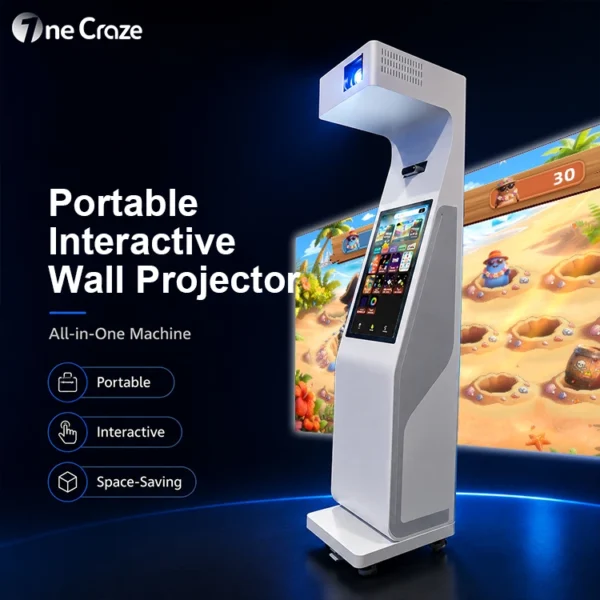
The OneCraze portable interactive wall projector all-in-one machine integrates the main hardware and touchscreen controls into a movable unit. The following guide explains how schools, FECs, training centers and rental companies should test this type of system before ordering.
Why Can Moving an Interactive Wall Projector Affect Calibration?
Calibration connects the sensor’s detected position with the corresponding target in the projected image. Even a small change in distance, angle or height can shift that relationship.
An integrated machine has an advantage because the projector and sensor remain fixed relative to each other inside the cabinet. Nevertheless, the complete cabinet can still move relative to the wall. The following changes may affect accuracy:
- The machine sits closer to or farther from the wall
- The cabinet rotates slightly left or right
- An uneven floor changes its vertical angle
- Staff adjust image size, focus, keystone or image shift
- The new wall has a different width, color, texture or border
- Furniture, windows or lighting change the sensor’s view
- A wheel is not locked or the cabinet moves during play
Official projector guidance supports this principle. Epson advises recalibration when an interactive projector is moved or when its image size or image shift changes. Likewise, the LUMOplay interactive wall guide calls for recalibration after equipment movement or component replacement. Buyers should still follow the procedure supplied with their machine.
Does the Machine Need Recalibration in the Same Room?
Not necessarily. If staff return the machine to the same marked position, keep the same image settings and use the same wall, the system may need only a verification test. However, the operator should never assume that stored calibration remains accurate merely because the machine looks close to its old location.
| Movement scenario | Likely action | Minimum verification |
|---|---|---|
| Machine was moved slightly for cleaning and returned to floor marks | Check alignment before deciding whether to recalibrate | Test center, four corners and game controls |
| Machine remains in place but was bumped | Inspect image and sensor alignment; recalibrate if targets have shifted | Repeat edge and corner hits |
| Machine moves to another prepared position in the same room | Load the saved profile if supported, then verify | Confirm image boundary and complete a short game |
| Machine moves to a different wall or room | Reposition, adjust the image and normally recalibrate | Test the full active area and approved interaction method |
| Image size, keystone or projection angle changes | Recalibrate unless the manufacturer confirms otherwise | Compare visible targets with detected hit locations |
How Long Should Room-to-Room Setup Take?
There is no universal setup time. It depends on the movement route, wall preparation, projector controls, sensor method and saved-profile support. A ten-second software calibration does not equal a ten-second changeover because staff still need to move, position, power, align and test the unit.
For comparison, Kmoove publishes a five-minute setup and a ten-second calibration for its own K-Mobile S mobile interactive wall. Those figures provide a useful market benchmark, but they should not be applied automatically to a OneCraze configuration or another supplier’s product.
A buyer should measure four periods:
- Transport time: from the original operating position to the new room
- Physical setup time: positioning, wheel locking, power connection and startup
- Projection and calibration time: image adjustment, profile selection and sensor calibration
- Verification time: testing target accuracy and launching the first playable game
How Should Buyers Test a Portable Wall Projector After Moving It?
Next, use the same trained operator and follow a fixed sequence:
- Start the timer with the machine switched off in its original location.
- Move the unit through the actual doorway and corridor route.
- Place it at the marked destination and lock the wheels.
- Connect power, start the system and select the required room profile.
- Adjust only the controls permitted by the supplier.
- Run calibration when required and record every failed attempt.
- Test the center, edges and four corners of the projected image.
- Complete a short game using the intended hands, body movements or approved soft balls.
Use a repeatable result sheet rather than writing “works well.”
| Test item | Measurement to record | Suggested acceptance question |
|---|---|---|
| Complete room-to-room setup | Minutes and seconds | Can trained venue staff meet the planned changeover time? |
| Calibration attempts | Number of successful and failed attempts | Does the system normally calibrate on the first attempt? |
| Center hits | Successful detections out of 20 | Does the center respond consistently? |
| Edge and corner hits | Successful detections out of 20 | Are there blind zones near the image boundary? |
| Near-simultaneous hits | Correctly separated events out of 10 trials | Can the selected multiplayer game support the required use? |
| Cold restart | Startup time and retained settings | Does the machine recover without technical intervention? |
| Position repeatability | Result after returning to the original floor marks | Can staff restore the accepted setup reliably? |
For ball games, use the exact approved soft-ball size and material. The OneCraze guide to interactive multi-sport wall projector ball tracking explains why ball speed, size and sensing method must be evaluated together.
Use the final wall finish during acceptance because a result on a smooth matte wall may not transfer to a glossy, dark or textured surface. Buyers can review wall surfaces for ball-throwing interactive projection before preparing the room.
How Can Operators Make Daily Setup More Repeatable?
Approve a limited number of operating positions, mark them, save available calibration profiles and photograph the correct image boundary. This turns setup into a repeatable procedure.
Next, create a short opening checklist:
- Inspect the power cable, cabinet, wheels and projector window
- Confirm that the wall and playing area are clear
- Position the machine on the correct floor marks
- Lock every wheel or stabilizing foot
- Load the correct room profile
- Check image focus and boundaries
- Test the center and four corners
- Run one short game before admitting players
Common signs of lost calibration include the wrong target reacting, failed corner hits and offset hit markers. When these appear, stop the session and follow the approved repositioning or recalibration process.
Check doorway width, thresholds, elevators, turning space and storage access before purchase. A machine may work well once positioned but still be unsuitable if staff cannot move it safely. The OneCraze portable wall projector manufacturer guide compares a mobile all-in-one machine with a fixed installation.
What Should Be Included in the Supplier Acceptance Test?
The factory should demonstrate the ordered machine, record its configuration and show the complete process from cold startup to playable interaction.
The acceptance scope should include:
- Machine dimensions, net weight and packed dimensions
- Projector model, brightness, resolution and throw ratio
- Sensor model and supported interaction methods
- Required wall size and machine-to-wall position
- Initial calibration and saved-profile procedure
- Movement, repositioning and recalibration test
- Center, edge, corner and multiplayer detection tests
- Shutdown, restart and recovery of saved settings
- Operator account, passwords, manuals and calibration files
- Remote-support and warranty process
Repeat the essential checks after delivery because a passed factory test does not prove that the customer’s wall, light level and floor are suitable. The OneCraze interactive projection system factory acceptance test checklist provides a broader FAT and SAT structure.
Schools should also launch a quiz after moving the machine and confirm that touchscreen control, scoring and language settings remain available. The interactive quiz wall for schools guide explains how custom questions and two-team play should be specified separately.
Not always. Returning the machine to the same marked position may require only an alignment and interaction check. Moving to another wall, changing the image size or altering the projector angle normally requires recalibration or a saved location profile.
Yes, provided every room has an approved wall, adequate space, suitable lighting, safe power access and a documented setup position. Staff must also have enough time and training to move, align and verify the machine between sessions.