Start with the exact interactive wall projection configuration in your quotation. Then attach a written service scope to that configuration rather than relying on a general promise of lifetime support.
What Should an Interactive Wall Warranty Cover?
Ask the supplier to identify the covered components, the warranty start date and the process for reporting a fault. A system may combine a branded projector, computer, tracking sensor and separately licensed games. Confirm whether one company coordinates the claim or whether individual component suppliers become involved.
Also distinguish a defective component from a damaged cable, changed room lighting or lost calibration. These situations may require different work and may fall under different service terms.
Use the following table to complete the service schedule with each supplier. It is a purchasing checklist, not a statement of included OneCraze services.
| Service item | Supplier responsibility to confirm | Buyer responsibility to confirm | Cost question |
|---|---|---|---|
| Remote diagnosis | Troubleshooting steps, service hours and escalation contact | Provide fault details and arrange an authorized session | Included during and after warranty? |
| Component replacement | Approve the correct part and explain replacement procedure | Arrange a qualified local installer where needed | Are parts, labor and shipping covered separately? |
| Return for repair | Authorize the return and supply packing instructions | Package the item and arrange collection | Who pays each shipping leg? |
| Software recovery | Restore approved software and reactivate the license | Keep purchase records and approved backups | Is recovery included or chargeable? |
| On-site service | Confirm technician availability and visit scope | Provide access and coordinate venue closure | Are travel, accommodation and labor extra? |
When comparing interactive projection quotations, carry these service items into the comparison. Two similar equipment prices can involve very different local workloads.
Does a Fault Mean Sending the Whole System Back?
Not necessarily. The appropriate repair route depends on the diagnosis and equipment design. Ask whether the supplier can isolate a problem to the projector, computer, sensor, connection or software before requesting a return.
Consider this illustrative situation: the game image remains visible, but ball hits no longer register. That symptom does not by itself establish a broken sensor. The support team should check the tracking connection, calibration and software status before authorizing a replacement.
An integrated cabinet and a separate interactive ball wall equipment setup can have different service access requirements. Therefore, ask which modules can be removed locally and whether doing so requires supplier approval.
Before purchase, agree on the information needed to open a support case:
- System serial number and installed software version.
- A short video of the symptom and any error message.
- Recent changes to equipment, lighting or room layout.
- A named venue contact and available troubleshooting times.
Request an initial response target separately from a repair estimate. A quick reply does not guarantee that a replacement component can arrive the same day.

Which Interactive Wall Replacement Parts Should You Order?
A useful spare-parts package matches the installed configuration and the venue’s tolerance for downtime. Do not buy an expensive duplicate of every component simply because a generic package lists it.
Instead, ask the manufacturer to separate locally available items from parts that require exact compatibility or configuration. For each proposed spare, request its part number, purpose, storage instructions and replacement procedure.
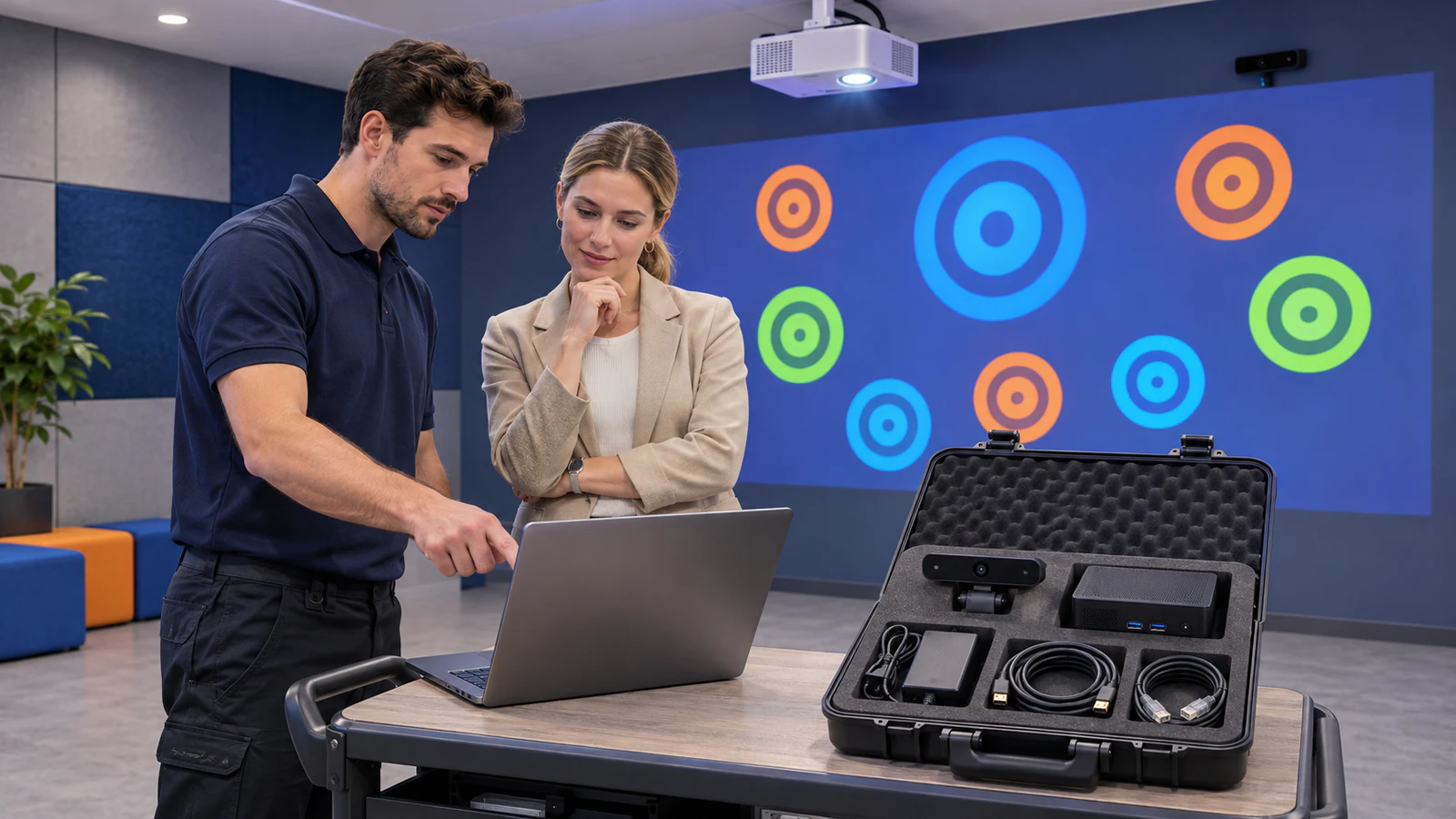
Potential items to discuss include approved connection cables, power adapters and operator controls. A spare sensor or prepared computer may also be worth evaluating when delivery delays would disrupt important bookings. However, the supplier should confirm compatibility and any activation or calibration required before you order.
For an interactive wall game kit, ask who maintains the component list when models change. Also request the process for approving substitute parts and obtaining replacements after warranty expiry. Written availability terms are more useful than an undefined promise of permanent supply.
Will the Games Work After Replacing the Computer?
Do not assume that copying game files to another computer restores a working attraction. Recovery may also require a license transfer, drivers, tracking settings and calibration data.
Review the software licensing and compatibility requirements before approving replacement hardware. Ask whether the license binds to the computer, a physical key or another activation method, and how the supplier handles a failed machine that cannot be deactivated normally.
Separate recovery from software updates
Restoring the purchased games is different from receiving new content. Likewise, a bug fix is not the same as a custom feature or a newly developed game pack. Request separate terms for each service.
Before an update, agree on a backup and rollback procedure, then test the relevant games outside busy operating hours. For remote support, authorize access explicitly and confirm how the session ends. Your team should retain control over access to the venue’s computers and network.
What Maintenance and Handover Support Should the Manufacturer Provide?
Ask for a maintenance schedule tied to the supplied equipment, not a universal checklist for every interactive wall. Cleaning methods, ventilation checks and service intervals should follow the relevant component instructions.
At handover, request:
- A component inventory with model and serial numbers.
- Approved startup, shutdown and operator troubleshooting steps.
- Cleaning instructions and a clear division between staff tasks and technician work.
- Calibration instructions, configuration backups and recovery contacts.
- Training records and written support terms.
Use the factory acceptance test to record the working configuration before shipment. After installation, repeat the agreed gameplay checks under the venue’s actual conditions. These records give both teams a useful baseline if performance changes later.
Not automatically. Compare covered components, exclusions, response arrangements, shipping responsibility and local labor. A shorter but clearly defined service agreement may suit your operation better than a longer parts-only offer.
Possibly, but obtain compatibility approval first. Matching a connector or product category is not enough to establish that a replacement works with the installed tracking system, drivers and software license.
No. Ask the supplier to distinguish fault corrections, compatibility updates, additional games and custom development. Confirm which services your purchase includes and whether any ongoing subscription applies.