It shows FEC operators how to plan game rotation, calculate potential player throughput and test a multi-sport interactive wall system before placing an order.
How Can an FEC Rotate Multi-Sport Games Throughout the Day?
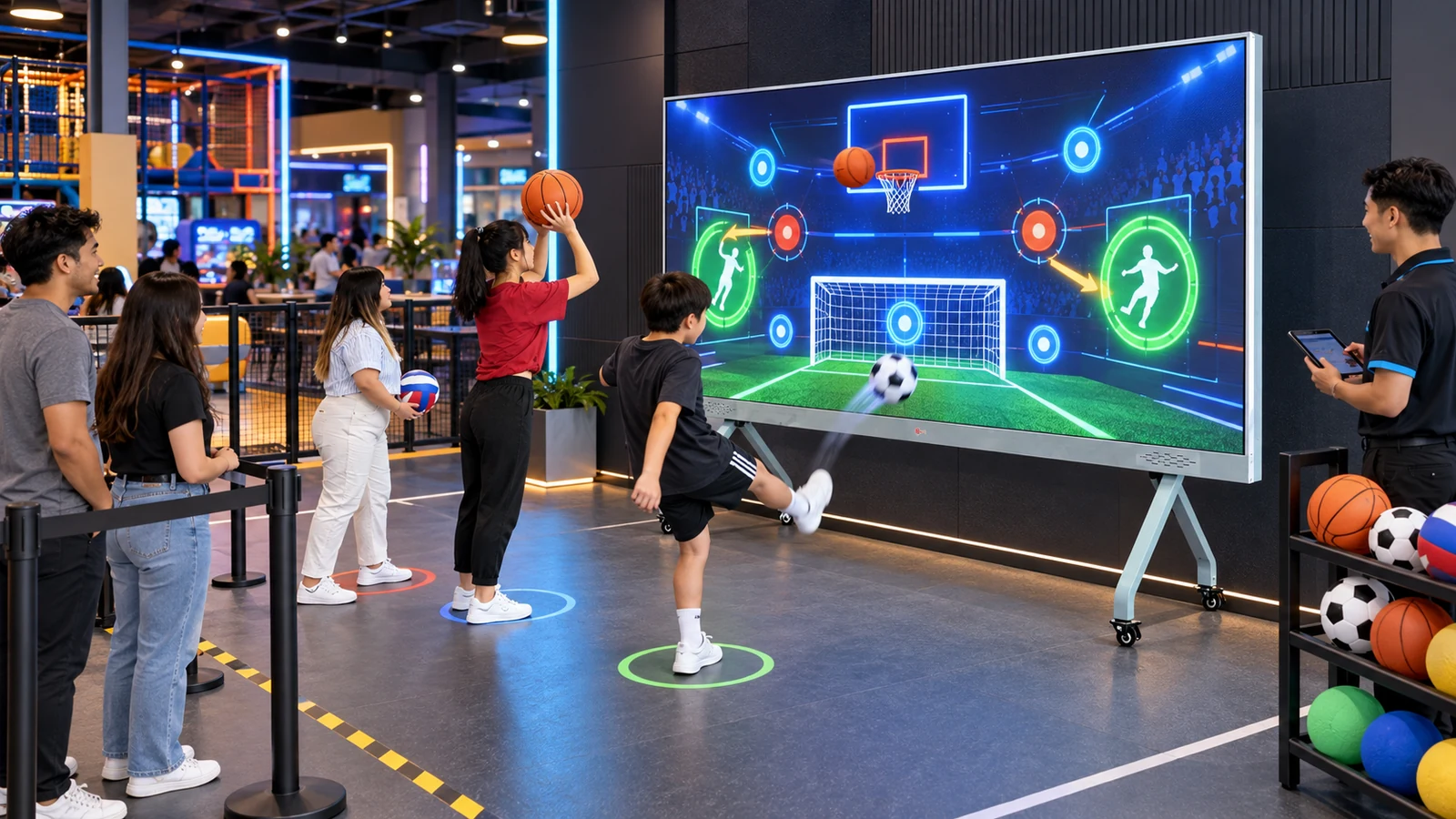
One machine can address several customer groups when the operator changes the activity format, difficulty and session structure. For example, a school group may need short cooperative exercises, while an evening group may prefer scored competition. The hardware can remain in place, but the game selection and operator workflow change.
| Operating period | Likely audience | Suitable session format | Commercial objective |
|---|---|---|---|
| Weekday morning | Schools, camps and youth programs | Guided accuracy, reaction and team exercises | Group bookings and scheduled use |
| Weekday afternoon | Families and after-school visitors | Short football, basketball and target challenges | Fast rotation and accessible play |
| Evening | Teenagers, adults and sports groups | Head-to-head scoring and leaderboard sessions | Competitive repeat play |
| Weekend | Birthday parties and mixed-age groups | Multi-game tournament with several rounds | Package sales and longer dwell time |
| Corporate booking | Companies and private groups | Team competition with branded score screens | Higher-value private sessions |
The table is a programming model, not a promise of demand. Operators should compare it with local opening hours, customer ages and existing booking data. In addition, every game shown in the schedule must be included in the ordered software package; buyers should not assume that a “multi-sport” label automatically includes every sport.
For a more detailed explanation of the available display, sensor and game package, review the OneCraze guide to a commercial multi-sport ball simulator for sale. Venues planning a broader attraction mix can also use the 100–300 m² active game center layout guide to position the sports machine beside other active games without blocking circulation.
Multi-Sport Interactive Machine, Arcade Cabinets or Training Simulator?
These products can all contain sports games, but they solve different venue problems. A projected interactive wall concentrates multiple entertainment games in one active area. Separate arcade cabinets distribute customers across several machines. By contrast, a professional training simulator may prioritize detailed ball-flight or athlete data and require a deeper, protected hitting bay.
| Buying consideration | Multi-sport interactive game machine | Several single-sport arcade machines | Professional training simulator |
|---|---|---|---|
| Primary purpose | Active entertainment and group competition | Simple repeatable arcade play | Technical practice and measured performance |
| Content change | Software selection on one system | Players move to another cabinet | Software or sport module change |
| Space model | One wall plus player and safety zone | Multiple machine footprints and aisles | Dedicated screen, hitting area and safety enclosure |
| Player experience | Throwing, kicking or movement-based challenges | Usually one action per cabinet | Realistic sport-specific practice |
| Data expectation | Score, hits, time and game results | Score and ticket or credit results | May include speed, angle, spin or trajectory |
| Best starting buyer | FEC, indoor playground, resort or activity center | Arcade and redemption venue | Training club, premium simulator center or specialist venue |
Furthermore, display technology must be identified clearly. Projection systems need controlled ambient light and a suitable matte impact surface, while an LED wall requires impact protection and service access. Buyers comparing those approaches can read the OneCraze projection-versus-LED multi-sport system explanation and the guide to the best wall surface for ball-throwing projection.
What Should a Buyer Test Before Ordering the Machine?
Ball compatibility deserves particular attention. Footballs, basketballs and small soft balls differ in size, speed, color and rebound. The sensor may detect one reliably but miss another near the border of the image. The OneCraze guide to multi-sport ball tracking explains the difference between detecting a wall impact and measuring a complete ball trajectory.
Next, ask the supplier to demonstrate the operating workflow:
- Cold start the computer and game software.
- Select a sport from the normal operator interface.
- Start, pause, reset and end a session.
- Change to a second sport without hidden setup steps.
- Recover from a disconnected sensor or unexpected restart.
- Run the complete system continuously for at least 30–60 minutes.
- Show remote diagnostics, software version and backup recovery where offered.
Optional leaderboard, RFID, payment, API and self-service functions should appear as separate quotation items unless they are included in the standard package. In the same way, “free updates” should distinguish bug fixes from new sports, seasonal content and custom-branded games. Buyers that need their own logo, language or scoring rules can review OneCraze’s OEM interactive sports wall and distributor support and custom game software/API guide.
Finally, turn the demonstration into a written acceptance record. List the exact computer, projector or LED configuration, sensor models, software version, game names, approved balls, measured active area and test results. The OneCraze factory acceptance test checklist provides a reusable structure, while the quotation comparison guide helps separate hardware, software, customization, freight and commissioning costs.
Yes, if both games are included in the licensed software and the sensing system has been configured for the approved balls. Ask the supplier to demonstrate both sports on the exact hardware before shipment. Do not rely only on menu screenshots.
It depends on whether the games use the same active area, sensor method and ball settings. A well-integrated entertainment package may switch games from the operator menu without moving hardware. Nevertheless, the supplier should demonstrate the change and disclose any sport-specific calibration steps.