This guide explains the equipment, room requirements, customization options and acceptance tests buyers should review before purchasing an Interactive Graffiti Draw to Life system.
What Is an Interactive Graffiti Draw to Life System?
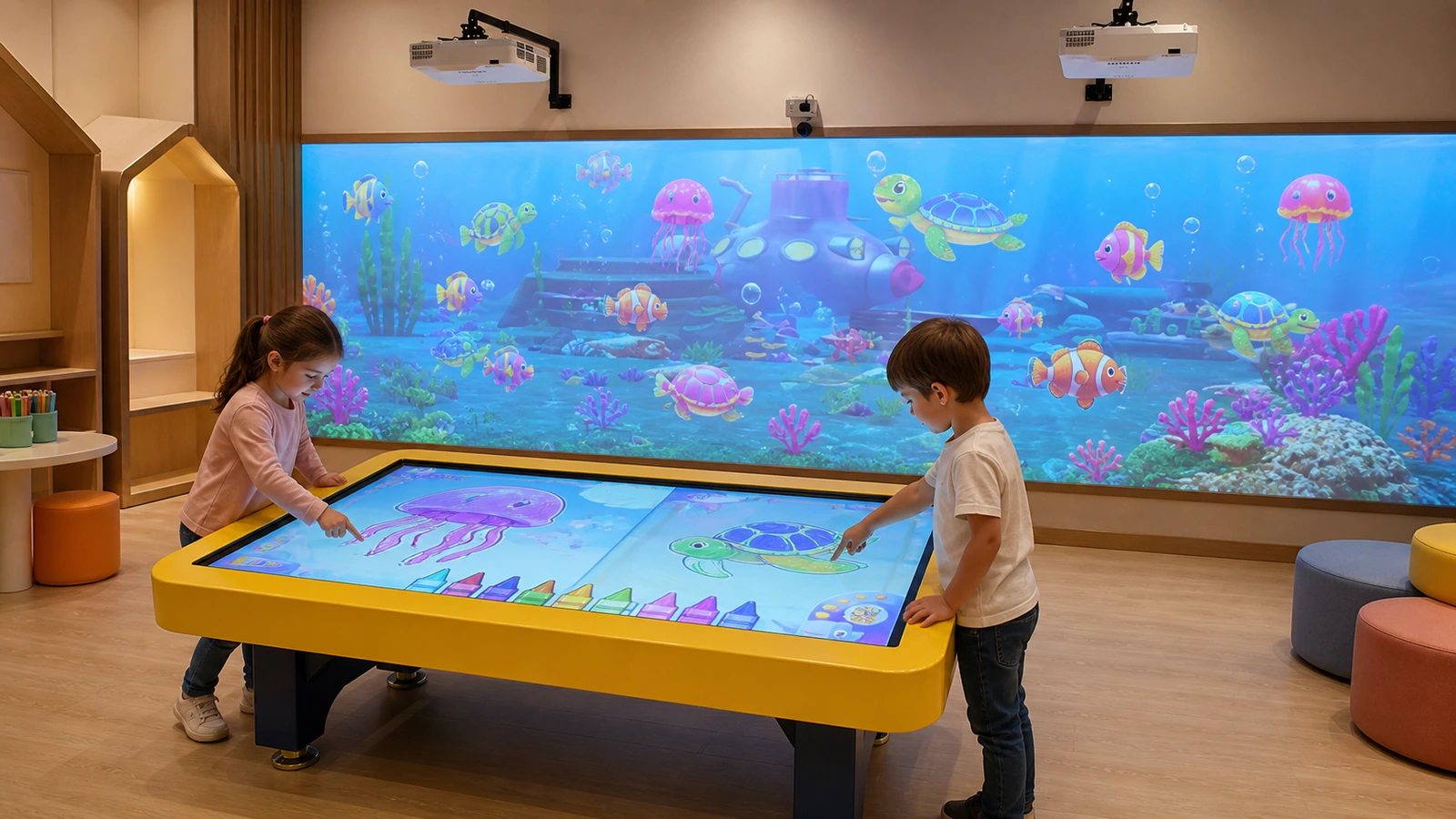
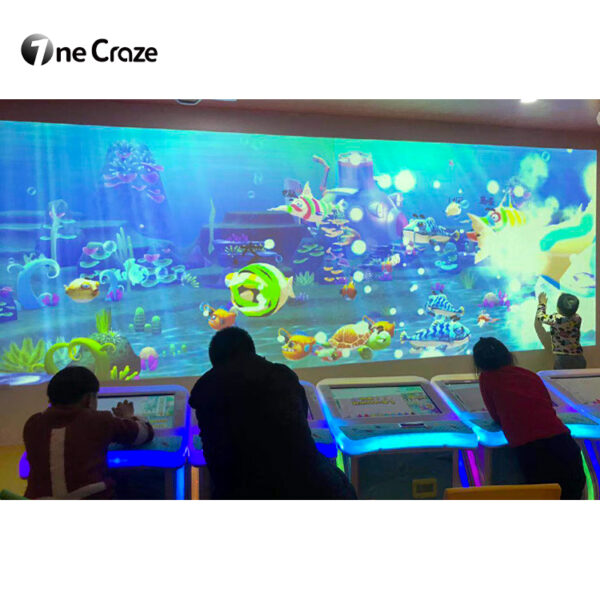
The system connects an individual creative station with a shared animated environment. A child selects a character or drawing template, applies colors on the touchscreen and submits the finished artwork. The software processes the drawing, places it onto the matching animated asset and sends it to the projection wall.
Unlike a basic touchscreen drawing application, Draw to Life adds a public reveal moment. Children do not only keep the picture on the drawing station; they see their creation join a larger story with other visitors’ artwork. This makes the product suitable for children’s museums, indoor playgrounds, family entertainment centers, shopping malls, schools, aquariums and branded exhibitions.
The term “digital graffiti wall” can describe several products. Buyers should identify the intended workflow clearly:
- Direct digital graffiti: Visitors paint directly on a wall or large display.
- Touchscreen Draw to Life: Visitors create on a touchscreen and send the artwork to an animated wall.
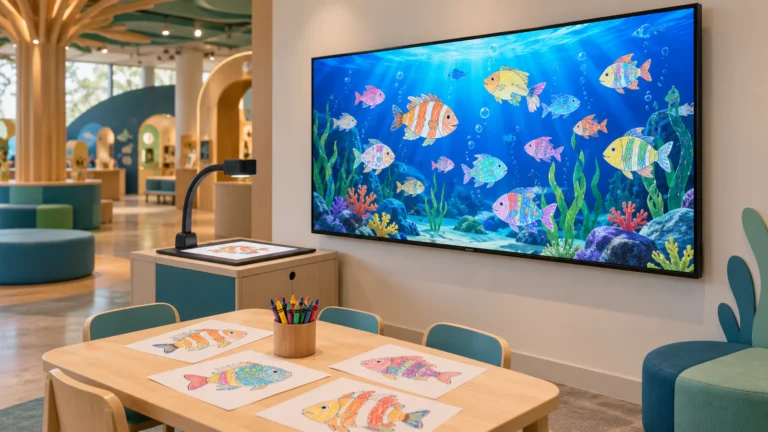
- Paper Draw to Life: Visitors color printed templates and capture them with a scanner or camera.
- Free drawing wall: Visitors draw without character recognition or animation rules.
OneCraze supports the touchscreen direction through its Interactive Graffiti product. Buyers interested in the wider category can review the interactive drawing wall manufacturer guide, while venues that prefer paper templates can compare the scanner and camera workflow for a drawing aquarium.
How Does Touchscreen Drawing Become an Animated Wall Character?
The visitor experience should feel simple, even though several software stages operate in the background. The touchscreen displays approved characters, brushes and colors. After the visitor submits the artwork, the application matches it with an animated model or scene asset. The wall computer then introduces the new character into the shared projection.
| Workflow stage | Visitor action | System response | What the buyer should test |
|---|---|---|---|
| Select | Choose a character, object or template | Load the correct drawing area and tools | Templates are clear and easy to understand |
| Create | Draw or color on the touchscreen | Record touch input and visual choices | Lines remain accurate at the screen edges |
| Submit | Press the send or confirmation control | Process and transfer the finished artwork | Upload time remains consistent during busy periods |
| Animate | Watch the creation enter the wall scene | Apply the drawing to the matching animated asset | Colors, orientation and character type remain correct |
| Interact | Touch or move near the projected character | Trigger animation or visual feedback when sensing is included | Center and edge interaction respond reliably |
| Reset | Start the next visitor session | Clear personal artwork from the drawing station | The previous user’s image does not remain on screen |
The supplier should demonstrate this entire cycle rather than showing only a prerecorded animation. During a live test, submit light colors, dark colors, simple drawings and detailed drawings. Then repeat the same character several times to confirm that the scene can display multiple visitor creations without mixing their artwork.
Touchscreen software also needs reliable input handling. The W3C Pointer Events specification describes a common input model for devices such as touchscreens, pens and mice. However, the purchased application must still be tested with the exact touchscreen, operating system and drawing tools included in the quotation.
What Equipment Is Included in the OneCraze Draw to Life Package?
A commercial interactive drawing wall needs a touchscreen station, projection wall, computing hardware, software and sensing components. The current OneCraze product page lists a 55-inch capacitive touchscreen, two laser projectors and a wall-projection configuration designed for one to four players. Final models and specifications should still be confirmed in the project quotation because availability and site conditions can change.
| Published product-page item | Current listed direction | What to confirm in the quotation |
|---|---|---|
| Drawing station | 55-inch capacitive touchscreen | Screen resolution, computer, cabinet, ports and protective design |
| Wall projection | Two laser projectors listed at 4,200 lumens each | Exact brand, model, brightness standard, native resolution and lens |
| Projector resolution | 1280 × 800 listed, with maximum 1920 × 1080 input | Actual output resolution and content rendering resolution |
| Throw ratio | Listed at no more than approximately 0.52:1 | Exact throw distance for the ordered wall width |
| Main computer | Intel Core i3-class configuration with dedicated graphics listed | Final processor, memory, storage and graphics model |
| Interaction capacity | One to four players listed | Number of drawing stations and simultaneous wall users |
| Planning space | Approximately 4 × 2.5 meters listed | Final active wall, visitor, equipment and circulation dimensions |
| Software | Drawing, submission, animation and multiplayer content | Included themes, license term, updates and customization scope |
Buyers should not treat these published figures as a substitute for a bill of materials. The supplier should return exact models, quantities and drawings for the ordered project. In particular, confirm whether the price includes the projection wall surface, speakers, wall sensor, network equipment, mounts, cables, operator display and installation service.
The quotation should also explain how the two projectors create one wall image. Depending on the layout, they may cover separate areas or require blending and geometric correction. Ask whether the supplier provides calibration files and whether venue staff can restore alignment after maintenance.
For projector and lens decisions, use the OneCraze projection mapping projector buying guide. A projector’s lumen number alone does not determine wall quality; image size, ambient light, surface color, throw distance and content design must work together.
How Much Space Does an Interactive Drawing Wall Need?
The listed 4 × 2.5 meter space provides a useful starting point, but it should not become a universal room requirement. The final layout depends on the wall size, projector positions, touchscreen cabinet, viewing distance, drawing queue and emergency circulation.
Divide the room into five functional areas:
- Touchscreen drawing zone: Enough space for the current user, accompanying adult and accessible approach.
- Waiting zone: A clear queue that does not block the projected wall or drawing station.
- Projection and interaction zone: Space for visitors to view and interact with animated characters.
- Equipment zone: Protected positions for projectors, computers, sensors, speakers and cables.
- Staff and service zone: Access for restarting, cleaning and maintaining the system.
For broader venue planning, read the OneCraze guide to interactive projection for museums and exhibitions. FEC operators can also connect the drawing area with other interactive wall projection games while keeping the queues and interaction zones separate.
What Content, Branding and Language Options Can Be Customized?
Custom content should begin with the venue story, not with the number of available characters. An aquarium may need local fish species and coral scenes. A science center may prefer planets, dinosaurs or environmental themes. A shopping mall may request seasonal characters, while a brand activation may need approved colors, products and campaign artwork.
Define these items before the supplier calculates the content price:
- Theme and background environment
- Number of drawable characters or objects
- Drawing areas and permitted color tools
- Character movements and interaction behaviors
- Touch, gesture or motion-triggered wall effects
- Opening screen, attract loop and operator interface
- Logo, colors and approved brand assets
- Visitor-facing and operator languages
- Music, sound effects and voice-over
- Content ownership, revision rounds and delivery files
- Future character and scene update method
Customization also changes production time. A simple logo and color replacement differs from a new animated character with custom interaction logic. Ask the proposal to separate interface branding, character artwork, animation, software programming and audio so both sides understand the deliverables.
International buyers should verify every visible language state, including menu labels, instructions, error messages and the operator panel. For Arabic and other right-to-left languages, the layout itself may need adjustment. The OneCraze article on multilingual software and Arabic RTL support provides a more detailed localization checklist.
If artwork is saved, shared or associated with a visitor’s name or photograph, the operator should define the purpose, access permissions and deletion period. The European Commission’s guidance on personal-data processing principles emphasizes purpose limitation, data minimization, storage limits and security. Venues should apply the laws relevant to their own location and audience.
The OneCraze factory acceptance test checklist can structure the video and inspection record. Buyers comparing several suppliers can also use the quotation comparison guide to normalize hardware, software, customization, shipping and service.
No. A spray-can graffiti wall tracks a handheld controller and draws directly on a large digital canvas. OneCraze’s Draw to Life direction uses a touchscreen drawing station and transfers the completed artwork to an animated wall environment.