What Is a Mobile Interactive Floor Projector Machine?
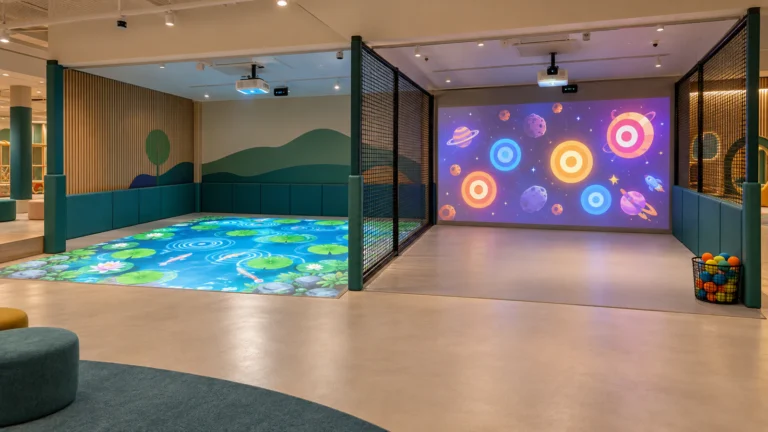
Traditional interactive floor projection separates the projector, computer, sensor, speakers and control equipment around the room. That approach gives an integrator more freedom, but it requires mounting, cable routing, calibration and site coordination.
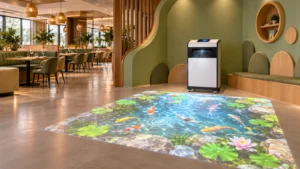
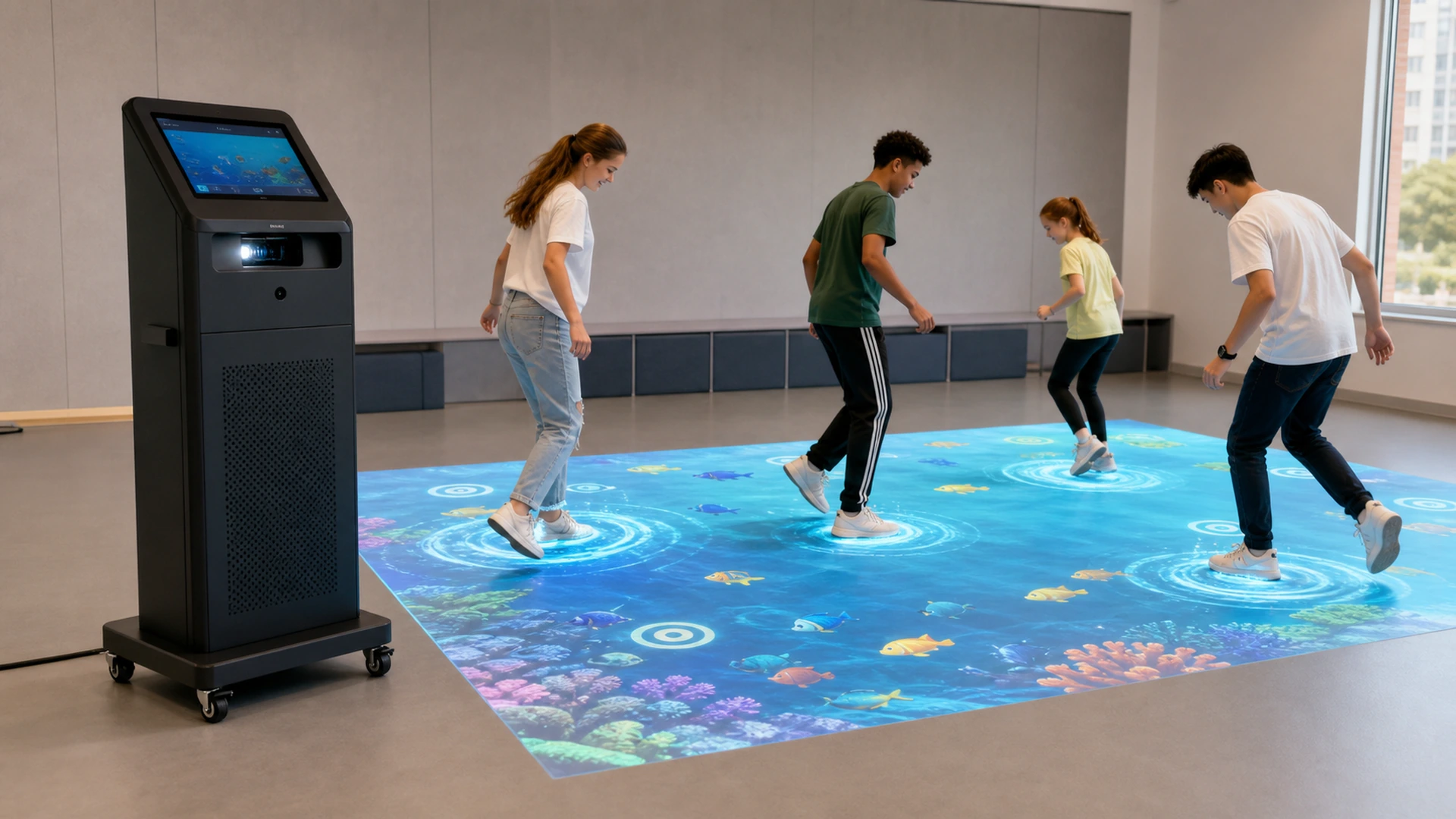
A mobile all-in-one machine integrates the main components into a single enclosure. Staff can move it into position, connect power, select content and create an interactive play area without installing equipment above the ceiling. The cabinet also protects the computer and sensor from routine visitor contact.
The OneCraze Mobile Interactive Floor All-in-One uses a short-throw laser projector, a 10.1-inch control screen, a computer, dedicated graphics, audio and a laser-radar sensor. The product page lists real-time effects, scoring, calorie data and synchronized game information for one to six players.
However, all-in-one does not mean that every room will work without preparation. Staff still need a suitable floor, controlled light, enough clear space, a safe power route and a repeatable machine position. Moving the system to a room with different dimensions, floor color or lighting may require focus, geometry or sensor calibration adjustments.
What Are the Published OneCraze Mobile Floor Projector Specifications?
The table below records the current product-page data in a format that buyers can include in a compliance sheet. The final quotation should name the projector and sensor models because performance depends on the exact components supplied.
| Specification | Current published value | What the buyer should confirm |
|---|---|---|
| System type | Ground Interactive All-In-One Machine | Final model code and revision |
| Computer | 10th-generation Intel Core i3, 8 GB RAM, 128 GB storage | Exact processor, storage type and operating system |
| Graphics | “1050” graphics card | Full GPU brand, model and memory |
| Projector | 4,000-lumen laser projector | Brand, model, color and white brightness, light-source life |
| Maximum resolution | 1920 × 1080 | Native output resolution and supported input formats |
| Throw ratio | 0.233:1 | Lens model, image orientation and optical drawing |
| Control display | 10.1-inch touchscreen | Resolution, interface and replacement method |
| Tracking sensor | 10-meter laser radar | Sensor model, field of view, scan rate and safety documentation |
| Recommended space | 2.9 × 4.0 m | Projection size versus total clear play area |
| Players | 1–6 | Tested capacity for each supplied game |
| Machine size | 640 × 360 × 1,072.7 mm | Packing size and doorway clearance |
| Weight | 70 kg | Net or gross weight and floor loading |
| Warranty | 3 years | Covered components, exclusions and response process |
The 4,000-lumen rating alone does not prove that the image will remain vivid in every room. Ambient light, image size, floor reflectance and dark content all affect visibility. The official Epson projector brightness guide also distinguishes color brightness from white brightness and explains that the room determines the required output. Therefore, buyers should request the exact projector datasheet and a demonstration under measured ambient illuminance.
How Do You Set Up and Recalibrate the Machine After Moving It?
A practical mobile system should use a repeatable setup process. First, staff move the machine on a level route and avoid lifting it by the projector housing, touchscreen or sensor. Once in position, they lock the wheels and confirm that the cabinet cannot roll when visitors run nearby.
Next, staff create a protected power route. A floor cable cover may be necessary if the outlet does not sit behind the machine. The equipment must not block an exit or project into the active play zone. The operator should also keep enough clearance around ventilation openings and service panels.
After power-up, staff check image focus, geometry and alignment with the marked floor area. A simple border or calibration grid makes errors easier to see than a colorful game. If the image has moved, the operator should correct the physical machine position before applying large amounts of digital keystone correction.
The tracking system then needs to map sensor coordinates to projection coordinates. The calibration process should identify the four corners, usable boundaries and any excluded areas near the cabinet. Finally, staff run a test game and confirm that footsteps trigger the correct locations at the center and edges.
Moving the machine a short distance between marked positions in the same room may require only a quick check. Moving it to a room with different floor dimensions, lighting or furniture can require full recalibration. OneCraze should document which settings remain saved and give staff a setup checklist that does not depend on a remote engineer.

How Should Radar Tracking, Latency and Multiplayer Accuracy Be Tested?
The product page describes a 10-meter laser-radar sensor, but that range does not equal the interactive floor size. Range indicates how far the sensor can detect a suitable object under specified conditions. The actual play zone also depends on field of view, mounting angle, reflectivity, software filtering and room geometry.
Buyers should request the sensor manufacturer and model rather than accepting only “laser radar.” The technical sheet should identify the scan angle, sampling rate, detection range, minimum detectable object, operating voltage, protection rating and applicable safety documents.
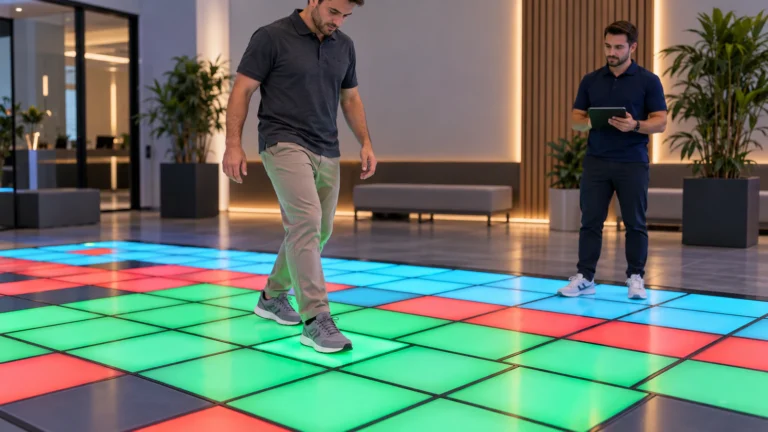
Tracking accuracy must be tested across the projected area. A player should trigger the target directly under the foot rather than a nearby object. Edge zones often expose calibration errors, while dark shoes, reflective materials or two players crossing can reveal weaknesses that remain hidden in a single-person demonstration.
Latency should also use a defined method. The supplier and buyer can record the time from foot contact or entry into a trigger zone to the first visible response. A high-frame-rate video provides a practical comparison method, although formal projects may require dedicated measurement equipment. The acceptance document should state the game, test position, player count and threshold.
For multiplayer verification, test one to six participants using the supplied games. Players should cross paths, enter adjacent target zones and stand close together. The system should not add phantom participants, merge players incorrectly or stop responding when several actions occur at the same time.
OneCraze has a separate guide comparing LiDAR, infrared cameras and depth sensors for interactive projection. That comparison can help buyers decide whether radar sensing fits the final room or whether another tracking method is more suitable.
Which Venues Need a Mobile, Mini or Ceiling-Mounted Floor System?
The 70 kg mobile machine is wheeled rather than hand-portable. It fits venues that need to reposition a complete system on the same floor and can provide a clear movement route, suitable storage and staff supervision. Schools can move it between activity rooms, malls can use it for temporary campaigns, and event operators can deploy it in changing indoor locations.
The machine may be less suitable when staff must carry equipment upstairs, load it into a small car or move it frequently across uneven outdoor surfaces. A buyer should compare cabinet dimensions with doorways, lifts, thresholds and storage space before ordering.
For smaller sports and education spaces, the Mini SAIO 2.0 interactive floor projector offers another integrated format. Buyers can review its positioning in the OneCraze article on the Mini SAIO interactive floor projector manufacturer.
What Should Factory Acceptance Testing and Supplier Support Include?
| FAT item | Suggested test method | Evidence to record |
|---|---|---|
| Visual inspection | Check cabinet, wheels, locks, vents, connectors and finish | Photos, serial numbers and defect list |
| Specification verification | Record the computer, GPU, projector and sensor model | Screenshots and component labels |
| Projection geometry | Measure the visible floor image | Width, length, focus and corner alignment |
| Brightness condition | Operate under measured ambient light | Lux reading, projector mode and test video |
| Tracking accuracy | Trigger a marked grid at center, corners and edges | Missed, offset and false triggers |
| Multiplayer tracking | Run supplied games with one to six players | Capacity, occlusion and recovery behavior |
| Response time | Record contact-to-visual response with an agreed method | Frames or milliseconds and test conditions |
| Continuous operation | Run the complete system for an agreed period | Errors, temperature, restarts and alarms |
| Mobility | Move, position, lock and restart the system | Setup time, calibration steps and wheel stability |
| Power recovery | Interrupt and restore power safely | Startup behavior and saved settings |
| Operator controls | Test game selection, volume, pause and shutdown | Interface video and staff checklist |
| Software package | Open every included game and language | Game list, version and license information |
No. The projector, sensor, computer and control system are integrated into the wheeled cabinet. The room still needs adequate floor space, power, lighting control and a safe machine position.
A move between accurately marked positions in the same room may only need a verification check. A different room, projection size, machine angle or floor condition may require focus, geometry and sensor recalibration.
It depends on image size, color brightness, ambient illuminance and floor reflectance. Buyers should test the ordered projector under measured conditions that resemble the destination venue.