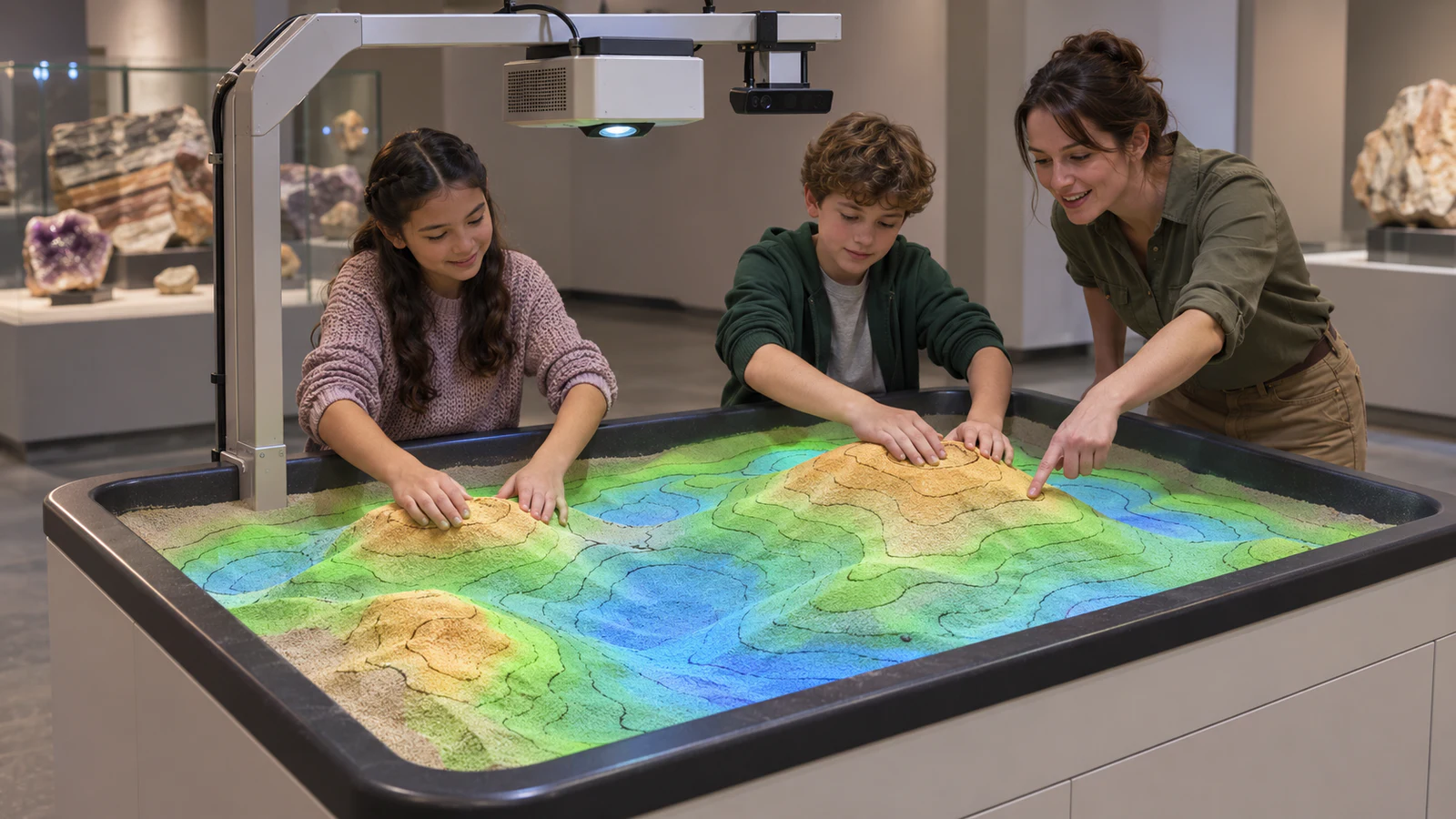
OneCraze’s AR sandbox product describes projected effects that respond as visitors pile up or dig into the sand. Use that as the starting point for a project brief, then confirm the included content, operating controls and delivery scope in a dated proposal.
Define What Visitors Should Discover
Start with a learning question. Do you want visitors to recognize hills and valleys, explore a landscape through guided activities, or enjoy themed play in a children’s gallery? Those objectives need different content and interpretation.
For an interactive sand table in a science center, a useful brief connects three elements:
- Visitor action: what someone should build, change or investigate in the sand.
- System response: what the projection should display after that action.
- Learning takeaway: what visitors should understand or discuss afterward.
For example, a proposed activity might ask visitors to build two hills and compare the displayed elevation bands. That is a testable requirement—not a guarantee that every sandbox includes the necessary mode.
Next, decide whether the exhibit supports independent exploration, a staff-led demonstration or both. Include this decision in the wider museum and exhibition projection plan so the sandbox has a clear role alongside neighboring displays.
Compare Terrain Displays, Educational Demonstrations and Games
An augmented reality sandbox supplier may use “educational” to describe several kinds of content. Request a named software list and previews instead of comparing headline theme counts.
| Content direction | What buyers should look for | What must not be assumed |
|---|---|---|
| Terrain visualization | A demonstrated relationship between sand height and projected colors or contours | Quantitative accuracy or adjustable contour intervals |
| Natural-process demonstration | A clear explanation of the behavior shown and any operator controls | That animated water, erosion or volcanic effects use a validated scientific model |
| Themed exploration | Activities with identifiable actions, feedback and reset behavior | That every theme teaches geography or fits the museum’s learning objectives |
| Custom exhibit content | A written brief, prototype, review process and acceptance criteria | That new subjects, local geography or curriculum alignment are included in the standard price |
Test How the Projection Responds to Changing Sand
A promotional montage cannot establish how consistently the system connects the physical surface with its digital response. Request a continuous demonstration using the proposed equipment and selected software mode.
Ask the demonstrator to:
- Begin with a simple, relatively level surface.
- Build a mound and dig a shallow depression within the approved operating range.
- Repeat the changes at several positions across the active area.
- Remove their hands and show the resulting display without obstruction.
- Restore the surface and demonstrate the next activity.
Observe whether the displayed result matches the described rule. Ask the supplier to explain delays, shadows or unexpected changes rather than treating every visual difference as a fault. Record the software version, lighting conditions and configuration used during the demonstration.
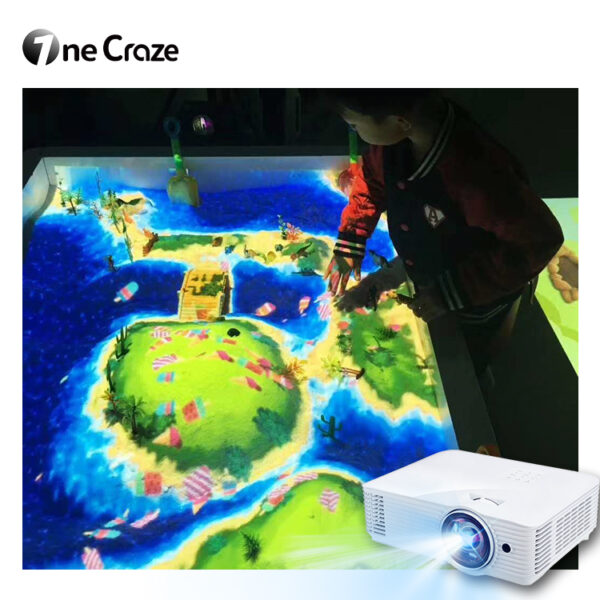
For projects considering a more playful direction, compare the separate AR gardening and beach projection product. Do not assume its activities are bundled with a topographic sandbox or use identical hardware.
Make the Exhibit Work for Visitors and Museum Staff
An educational AR sandbox system needs a manageable daily routine as well as engaging visuals. Ask a staff member unfamiliar with the software to try starting it, selecting the agreed activity and restoring the expected display after a session.
Check whether those steps require a keyboard, remote control or another interface, and whether visitors can accidentally access settings. If you need a timed reset or a locked presentation mode, list it as a requirement rather than assuming it exists.
Also review:
- Reach, sightlines and participation from the intended visitor positions.
- Space for a facilitator and waiting group without crowding the table.
- Manufacturer-approved sand, cleaning and surface-care procedures.
- Access to equipment for inspection, adjustment and maintenance.
- Staff instructions for faults, recalibration and reopening the exhibit.
These questions complement the sandbox size, sand volume and projector-height guide. The physical design and the learning activity should support each other; a quoted maximum player count does not establish a comfortable group-teaching arrangement.
Put Content, Installation and Support into the Purchase Scope
For a custom interactive sandbox exhibit, separate standard software from adaptations and new development. Request the approved content list, languages, commercial-use terms, revision allowance and update policy. Confirm whether museum staff can change any content themselves.
The distinctions in our software and commercial licensing guide help structure these questions, although sandbox compatibility and license terms must be confirmed for the selected system.
An interactive sandbox with installation should also identify who supplies the cabinet, support structure, sand, projector, sensor, computer and controls. Specify whether installation means remote guidance or on-site work, and who prepares the room. Use our quotation comparison guide to compare responsibilities and exclusions alongside prices.
Finally, agree on acceptance before placing the order. Include a demonstration of the chosen activities, staff operation, configuration recovery and the relevant site checks. The documentation approach in our factory acceptance test guide can help connect the demonstrated system to the delivered equipment.
The terms overlap, but an interactive sand table may focus on themed games rather than terrain visualization. Confirm the actual software functions instead of choosing solely by the product name.
No. Request a demonstration and written content list for the quoted version. Even when water effects are available, ask whether they are decorative, illustrative or based on a documented simulation model.
It may support suitable activities when the content, interpretation and facilitation match the learning objective. Ask your education team to review the proposed demonstration rather than assuming a product label establishes curriculum alignment.